
Choose the API version
Use V2 for new integrations. It accepts JSON, supports up to 50 message rows per send request, and returns a consistent messages array.
Find endpoints and examples for messaging, devices, contacts, automation, and webhooks.
WABLAS is WhatsApp API gateway service for sending and receiving messages, notification, scheduler, reminder, group message, tracking, and chatbots with simple integration for your business
Our API was designed to be extremely easy to use and accessible to everyone, no matter the programing language or frameworks you use
Max size file for video,audio,image,& document for media message is 2 MB
phone value):
https://bdg.wablas.com/api/send-message?phone={group_id}&message={message}&token={token}&isGroup=true
<?php
$token = 'YOUR_TOKEN';
$groupId = 'YOUR_WHATSAPP_GROUP_ID';
$message = 'Hello, group!';

$query = http_build_query([
    'phone' => $groupId,
    'message' => $message,
    'token' => $token,
    'isGroup' => 'true',
]);

$curl = curl_init('https://bdg.wablas.com/api/send-message?' . $query);
curl_setopt_array($curl, [
    CURLOPT_RETURNTRANSFER => true,
    CURLOPT_TIMEOUT => 30,
]);

$result = curl_exec($curl);
if ($result === false) {
    $error = curl_error($curl);
    curl_close($curl);
    throw new RuntimeException($error);
}

$statusCode = curl_getinfo($curl, CURLINFO_HTTP_CODE);
curl_close($curl);

echo "HTTP $statusCode\n";
echo $result;
Replace YOUR_TOKEN and YOUR_WHATSAPP_GROUP_ID with your own values. The group ID is passed as phone; http_build_query safely encodes the message.
<?php
$curl = curl_init();
$token = "";
$secret_key = "";
$data = [
    'phone' => '872468237asd-6281218xxxxxx',
    'message' => 'hello there',
    'isGroup' => 'true' //its string not boolean
];
curl_setopt($curl, CURLOPT_HTTPHEADER,
    array(
        "Authorization: $token.$secret_key",
    )
);
curl_setopt($curl, CURLOPT_CUSTOMREQUEST, "POST");
curl_setopt($curl, CURLOPT_RETURNTRANSFER, true);
curl_setopt($curl, CURLOPT_POSTFIELDS, http_build_query($data));
curl_setopt($curl, CURLOPT_URL,  "https://bdg.wablas.com/api/send-message");
$result = curl_exec($curl);
curl_close($curl);
print_r($result);
?><?php
$curl = curl_init();
$token = "";
$secret_key = "";
$random = true;
$payload = [
"data" => [
[
'phone' => '6281218444-87687324xxxxxx',
'message' => 'hello there',
'isGroup' => 'true'
],
[
'phone' => '6281218xxxxxx',
'message' => 'hello there',
]
]
];
curl_setopt($curl, CURLOPT_HTTPHEADER,
array(
"Authorization: $token.$secret_key",
"Content-Type: application/json"
)
);
curl_setopt($curl, CURLOPT_CUSTOMREQUEST, "POST");
curl_setopt($curl, CURLOPT_RETURNTRANSFER, true);
curl_setopt($curl, CURLOPT_POSTFIELDS, json_encode($payload) );
curl_setopt($curl, CURLOPT_URL, "https://bdg.wablas.com/api/v2/send-message");
$result = curl_exec($curl);
curl_close($curl);
print_r($result);
?><?php
$curl = curl_init();
$token = "";
$secret_key = "";
$random = true;
$payload = [
"data" => [
[
'phone' => '6281218444-87687324xxxxxx',
'message' => 'Hello @0813939121212, congratulations on joining the group!',
'isGroup' => 'true'
]
]
];
curl_setopt($curl, CURLOPT_HTTPHEADER,
array(
"Authorization: $token.$secret_key",
"Content-Type: application/json"
)
);
curl_setopt($curl, CURLOPT_CUSTOMREQUEST, "POST");
curl_setopt($curl, CURLOPT_RETURNTRANSFER, true);
curl_setopt($curl, CURLOPT_POSTFIELDS, json_encode($payload) );
curl_setopt($curl, CURLOPT_URL, "https://bdg.wablas.com/api/v2/send-message");
$result = curl_exec($curl);
curl_close($curl);
print_r($result);
?>WABLAS returns JSON for API requests. Read both the HTTP status code and the JSON status field before processing the response. A successful send response means the message has entered the queue; use the returned message id, reports, or webhooks to follow its final delivery status.
Use V2 for new integrations. It accepts JSON, supports up to 50 message rows per send request, and returns a consistent messages array.
V1 GET endpoints accept token in the query string. V1 POST and V2 examples use Authorization: TOKEN.SECRET_KEY. Some multi-device calls also accept X-Device-ID.
Keep data.messages[].id and your optional ref_id. They are the keys for matching queued messages with reports and webhook events.
status: true with message status pending confirms that WABLAS accepted the request for processing.
| API style | Credential format | Content type | When to use |
|---|---|---|---|
| V1 GET | ?token=TOKEN.SECRET_KEY |
Query parameters | Legacy and simple requests |
| V1 POST / V2 | Authorization: TOKEN.SECRET_KEY |
application/json or form data as shown per endpoint |
Recommended for credentials and structured payloads |
| Specific device | Authorization plus X-Device-ID: SERIAL |
Follows the endpoint | Select a device under the authenticated account |
Message endpoints currently return this common envelope. Media endpoints may add fields such as image, document, video, audio, or caption inside each message object.
{
  "status": true,
  "message": "Text Message is pending and waiting to be processed",
  "data": {
    "device_id": "A5DOYJ",
    "quota": 88,
    "messages": [
      {
        "id": "5be46e84-650c-4ba1-a1a6-5647d358c43a",
        "phone": "6281218xxxxxx",
        "message": "Hello from WABLAS",
        "status": "pending",
        "ref_id": "order-1001"
      }
    ]
  }
}| Field | Meaning | Integration action |
|---|---|---|
status | Whether the API accepted the operation. | Continue only when it is strictly true. |
message | Human-readable result summary. | Use for logs; do not branch only on this text. |
data.device_id | Device serial that processed the request. | Store it when using multiple devices. |
data.quota | Remaining device quota after queueing. | Monitor it and alert before it runs out. |
data.messages[].id | WABLAS message identifier. | Store it for reports and webhook reconciliation. |
data.messages[].status | Initial queue state. | Wait for reports or webhooks for the final state. |
data.messages[].ref_id | Your optional reference. | Use a unique business identifier when available. |
The cases below reflect the active WABLAS routes, authentication helper, message service, rate limiter, and global API exception handler. Some legacy endpoint validation and device errors currently return HTTP 500, so always inspect status and message in addition to the HTTP code.
| HTTP | Possible message or shape | Meaning | What your integration should do |
|---|---|---|---|
| 400 | maximum 50 data allowed per request | Request exceeds an endpoint limit or is malformed. | Correct or split the payload. Do not retry unchanged. |
| 401 | Unauthenticated. | Protected request has no valid authenticated session. | Check credentials and authentication method. |
| 403 | Access denied: Your IP (...) is not authorized, blocked IP, or unauthorized action | The credential exists, but the caller is not allowed. | Check IP whitelist, secret key, account access, and blocked IP settings. |
| 404 | Route or resource not found | The URL, message, schedule, media, or other requested resource does not exist. | Verify the endpoint and identifier. Do not retry unchanged. |
| 419 | CSRF token mismatch. | A session-based request has an invalid CSRF token. | Refresh the session token. Server-to-server API calls should use the documented API authentication. |
| 422 | Validation failed. with an errors object | One or more fields fail formal validation. | Show or log field errors and correct the payload. |
| 429 | Send rate limit exceeded or Too Many Attempts, plus retry_after | The request or message rate limit was reached. | Wait for Retry-After or retry_after, then retry with backoff. |
| 500 | token is null, token invalid or device expired, secret key invalid, disconnected/blocked device, insufficient quota, unsupported package, invalid parameters, or server error | Legacy business validation or an internal failure. | Use the message mapping below. Retry only transient server failures. |
token is nullAdd the token using the credential format required by that endpoint.
token invalid or device expiredReplace the token or renew the device subscription. Do not automatically retry.
secret key invalidVerify the secret paired with the token. Rotate credentials if they may be exposed.
device disconnected, need to scan qr code againReconnect the device from the dashboard and scan its QR code.
device blockedResolve the device/account status before sending again.
quota is not enough, please top up your quotaTop up quota or reduce the number of recipients.
your package not supportUse a supported endpoint or upgrade the device package.
parameter must array / data parameter is emptySend a non-empty JSON data array.
json data invalid / data param invalidSend valid JSON with Content-Type: application/json.
message param ... invalid / phone number param ... invalidProvide a valid message and international phone number without +.
<?php
$httpCode = curl_getinfo($curl, CURLINFO_HTTP_CODE);
$body = json_decode($result, true);

if (!is_array($body)) {
    throw new RuntimeException("Invalid JSON response (HTTP {$httpCode})");
}

if ($httpCode === 429) {
    $wait = (int) ($body['retry_after'] ?? 60);
    // Schedule a retry after $wait seconds. Do not loop immediately.
    throw new RuntimeException("Rate limited; retry after {$wait} seconds");
}

if ($httpCode < 200 || $httpCode >= 300 || ($body['status'] ?? false) !== true) {
    $message = $body['message'] ?? $body['error'] ?? 'Unknown WABLAS error';
    $errorId = $body['error_id'] ?? null;
    throw new RuntimeException($message . ($errorId ? " [{$errorId}]" : ''));
}

foreach ($body['data']['messages'] ?? [] as $message) {
    // Persist this ID and reconcile its final status through reports/webhooks.
    saveMessageReference($message['id'], $message['ref_id'] ?? null);
}
When a server error contains error_id, include it when contacting support. Never log the Authorization header, token, or secret key.
Use this list before moving an integration to production. Your progress is stored only in this browser and does not change the WABLAS account.
These examples call POST /api/v2/send-message with the same payload and response rules. Set WABLAS_TOKEN and WABLAS_SECRET_KEY in your server environment before running an example.
<?php
$token = getenv('WABLAS_TOKEN');
$secretKey = getenv('WABLAS_SECRET_KEY');
$payload = [
    'data' => [[
        'phone' => '6281234567890',
        'message' => 'Hello from WABLAS',
        'ref_id' => 'order-1001',
    ]],
];

$curl = curl_init('https://bdg.wablas.com/api/v2/send-message');
curl_setopt_array($curl, [
    CURLOPT_POST => true,
    CURLOPT_HTTPHEADER => [
        "Authorization: {$token}.{$secretKey}",
        'Accept: application/json',
        'Content-Type: application/json',
    ],
    CURLOPT_POSTFIELDS => json_encode($payload, JSON_THROW_ON_ERROR),
    CURLOPT_RETURNTRANSFER => true,
    CURLOPT_CONNECTTIMEOUT => 10,
    CURLOPT_TIMEOUT => 30,
]);

$result = curl_exec($curl);
if ($result === false) {
    $error = curl_error($curl);
    curl_close($curl);
    throw new RuntimeException($error);
}

$httpCode = curl_getinfo($curl, CURLINFO_HTTP_CODE);
curl_close($curl);
$body = json_decode($result, true, 512, JSON_THROW_ON_ERROR);

if ($httpCode < 200 || $httpCode >= 300 || ($body['status'] ?? false) !== true) {
    throw new RuntimeException($body['message'] ?? 'WABLAS request failed');
}

echo $body['data']['messages'][0]['id'];
import json
import os
import urllib.error
import urllib.request
token = os.environ["WABLAS_TOKEN"]
secret_key = os.environ["WABLAS_SECRET_KEY"]
payload = {
"data": [{
"phone": "6281234567890",
"message": "Hello from WABLAS",
"ref_id": "order-1001",
}]
}
request = urllib.request.Request(
"https://bdg.wablas.com/api/v2/send-message",
data=json.dumps(payload).encode("utf-8"),
headers={
"Authorization": f"{token}.{secret_key}",
"Accept": "application/json",
"Content-Type": "application/json",
},
method="POST",
)
try:
with urllib.request.urlopen(request, timeout=30) as response:
body = json.loads(response.read())
status_code = response.status
except urllib.error.HTTPError as error:
status_code = error.code
body = json.loads(error.read())
if not 200 <= status_code < 300 or body.get("status") is not True:
raise RuntimeError(body.get("message", "WABLAS request failed"))
print(body["data"]["messages"][0]["id"])package main
import (
"bytes"
"encoding/json"
"fmt"
"io"
"net/http"
"os"
"time"
)
func main() {
payload := map[string]any{
"data": []map[string]string{map[string]string{
"phone": "6281234567890",
"message": "Hello from WABLAS",
"ref_id": "order-1001",
}},
}
encoded, err := json.Marshal(payload)
if err != nil { panic(err) }
req, err := http.NewRequest(http.MethodPost, "https://bdg.wablas.com/api/v2/send-message", bytes.NewReader(encoded))
if err != nil { panic(err) }
req.Header.Set("Authorization", os.Getenv("WABLAS_TOKEN")+"."+os.Getenv("WABLAS_SECRET_KEY"))
req.Header.Set("Accept", "application/json")
req.Header.Set("Content-Type", "application/json")
client := &http.Client{Timeout: 30 * time.Second}
response, err := client.Do(req)
if err != nil { panic(err) }
defer response.Body.Close()
raw, err := io.ReadAll(response.Body)
if err != nil { panic(err) }
var body struct {
Status bool `json:"status"`
Message string `json:"message"`
Data struct {
Messages []struct {
ID string `json:"id"`
} `json:"messages"`
} `json:"data"`
}
if err := json.Unmarshal(raw, &body); err != nil { panic(err) }
if response.StatusCode < 200 || response.StatusCode >= 300 || !body.Status {
panic(fmt.Sprintf("WABLAS request failed: %s", body.Message))
}
fmt.Println(body.Data.Messages[0].ID)
}const token = process.env.WABLAS_TOKEN;
const secretKey = process.env.WABLAS_SECRET_KEY;
const response = await fetch("https://bdg.wablas.com/api/v2/send-message", {
method: "POST",
headers: {
Authorization: `${token}.${secretKey}`,
Accept: "application/json",
"Content-Type": "application/json",
},
body: JSON.stringify({
data: [{
phone: "6281234567890",
message: "Hello from WABLAS",
ref_id: "order-1001",
}],
}),
signal: AbortSignal.timeout(30_000),
});
const body = await response.json();
if (!response.ok || body.status !== true) {
throw new Error(body.message ?? "WABLAS request failed");
}
console.log(body.data.messages[0].id);using System.Net.Http.Json;
using System.Text.Json;
var token = Environment.GetEnvironmentVariable("WABLAS_TOKEN");
var secretKey = Environment.GetEnvironmentVariable("WABLAS_SECRET_KEY");
using var client = new HttpClient { Timeout = TimeSpan.FromSeconds(30) };
client.DefaultRequestHeaders.Add("Authorization", $"{token}.{secretKey}");
client.DefaultRequestHeaders.Add("Accept", "application/json");
var payload = new {
data = new[] {
new {
phone = "6281234567890",
message = "Hello from WABLAS",
ref_id = "order-1001",
},
},
};
using var response = await client.PostAsJsonAsync(
"https://bdg.wablas.com/api/v2/send-message",
payload
);
var raw = await response.Content.ReadAsStringAsync();
using var body = JsonDocument.Parse(raw);
var accepted = body.RootElement.TryGetProperty("status", out var status)
&& status.ValueKind == JsonValueKind.True;
if (!response.IsSuccessStatusCode || !accepted) {
var message = body.RootElement.TryGetProperty("message", out var error)
? error.GetString()
: "WABLAS request failed";
throw new HttpRequestException(message);
}
var messageId = body.RootElement
.GetProperty("data")
.GetProperty("messages")[0]
.GetProperty("id")
.GetString();
Console.WriteLine(messageId);Use to Check Whatsapp Number is active or not.
GET https://phone.wablas.com/check-phone-number?phones={phones}
<?php
$phones = "6281393961320,62142312121";
$token = "";
$curl = curl_init();
curl_setopt($curl, CURLOPT_HTTPHEADER,
    array(
        "Authorization: $token",
        "url: https://bdg.wablas.com",
    )
);
curl_setopt($curl, CURLOPT_URL,  "https://phone.wablas.com/check-phone-number?phones=$phones");
curl_setopt($curl, CURLOPT_CUSTOMREQUEST, "GET");
curl_setopt($curl, CURLOPT_RETURNTRANSFER, true);

$result = curl_exec($curl);
curl_close($curl);
echo "<pre>";
print_r($result);

?>| Authorization | Required | {$token} |
|---|---|---|
| token | Required | token can be found in the menu: Device - Settings |
| url | Required | Host Service, use: https://bdg.wablas.com |
| phone | Required | Target phone number. You can use the country code prefix or not. |
Response:
{
    "status": "success",
    "data": [
        {
            "phone": "6281393961320",
            "status": "online"
        },
        {
            "phone": "62142312121",
            "status": "offline"
        }
    ],
    "message": "Success"
}
Before you can send WhatsApp messages, you need to create and register a device. This endpoint creates a new device instance and generates an invoice for the selected plan. After device creation, you'll need to scan a QR code to connect your WhatsApp account.
POST https://bdg.wablas.com/api/device/create
<?php
// Initialize cURL session
$curl = curl_init();

// Your API credentials
$token = "your_api_token_here";
$secret_key = "your_secret_key_here";

// Device configuration data
$data = [
    'name' => 'My Business WhatsApp',      // Device display name
    'phone' => '6281218xxxxxx',           // WhatsApp phone number
    'bank' => 'BCA',                      // Payment method
    'periode' => 'monthly',               // Billing period
    'product' => 'lite'                   // Plan type
];

// Set up the API request headers
curl_setopt($curl, CURLOPT_HTTPHEADER, [
    "Authorization: $token.$secret_key",
]);

// Configure cURL options
curl_setopt($curl, CURLOPT_CUSTOMREQUEST, "POST");
curl_setopt($curl, CURLOPT_RETURNTRANSFER, true);
curl_setopt($curl, CURLOPT_POSTFIELDS, http_build_query($data));
curl_setopt($curl, CURLOPT_URL, "https://bdg.wablas.com/api/device/create");

// Execute the request
$result = curl_exec($curl);

// Check for errors
if(curl_errno($curl)) {
    echo 'Request failed: ' . curl_error($curl);
}

// Close cURL session
curl_close($curl);

// Display the result
echo "<pre>";
print_r($result);
echo "</pre>";
?>| Parameter | Type | Required | Description |
|---|---|---|---|
Authorization |
string | Required | Header containing your token and secret key in format: {token}.{secret_key} |
name |
string | Required | Display name for your device (e.g., "Business WhatsApp", "Support Line") |
phone |
string | Required | WhatsApp phone number in international format (e.g., 6281234567890) |
bank |
string | Required | Payment method: "BCA", "BNI", "BRI", "MANDIRI", "OVO", "DANA", "GOPAY", "SHOPEEPAY" |
product |
string | Required | Plan type: "lite", "pro", "enterprise" (see pricing for details) |
periode |
string | Optional | Billing period: "monthly", "yearly" (default: "monthly") |
{
    "status": true,
    "message": "create device & invoice successfully",
    "data": {
        "device_name": "My Business WhatsApp",
        "device": "55LVXO",
        "product": "Lite",
        "numberInvoice": "INVC3M7P9T",
        "periode": "monthly",
        "bank": {
            "bankName": "BANK BCA",
            "account_number": "0152939963",
            "account_name": "Muhamad Yanun As'at"
        },
        "discount": null,
        "total": 69039,
        "due_date": "2022-05-04"
    }
}| Plan | Features | Monthly Price |
|---|---|---|
| Lite | Basic messaging, 1 device | IDR 69,039 |
| Pro | Advanced features, multiple devices | IDR 199,000 |
| Enterprise | Full features, unlimited devices | Contact sales |
Info about your device detail, like quota, status, expired date, etc
GET https://bdg.wablas.com/api/device/info
<?php
$curl = curl_init();
$token = "";
curl_setopt($curl, CURLOPT_URL,  "https://bdg.wablas.com/api/device/info?token=$token");
curl_setopt($curl, CURLOPT_CUSTOMREQUEST, "GET");
curl_setopt($curl, CURLOPT_RETURNTRANSFER, true);

$result = curl_exec($curl);
curl_close($curl);
echo "<pre>";
print_r($result);

?>| token | Required | token can be found in the menu: Device - Settings |
|---|
| serial | string | Unix ID for device |
|---|---|---|
| sender | string | Phone number for sender. You can use the country code prefix or not. example: 62821144818 |
| name | string | sender name example: Peter |
| quota | string | quota device |
| expired_date | string | expired date for device |
| status | string | connected or disconnected |
| active | boolean | true or false |
Response:
{
    "status": true,
    "data": {
        "name": "eko",
        "serial": "WYE9xx",
        "sender": "628122988xxxx",
        "quota": 91,
        "expired_date": "2022-04-08",
        "active": true, //true or false
        "status": "disconnected" //connected or disconnected
    }
}
GET https://bdg.wablas.com/api/list-server
<?php
$curl = curl_init();
$token = "";
$secret_key = "";
curl_setopt($curl, CURLOPT_URL,  "https://bdg.wablas.com/api/list-server?token=$token.$secret_key");
curl_setopt($curl, CURLOPT_CUSTOMREQUEST, "GET");
curl_setopt($curl, CURLOPT_RETURNTRANSFER, true);

$result = curl_exec($curl);
curl_close($curl);
echo "<pre>";
print_r($result);

?>| token | Required | token can be found in the menu: Device - Settings |
|---|---|---|
| secret_key | Required | serial_key can be obtained by generating it in device settings - the secret_key will be sent to the admin's WhatsApp number. |
Response:
{
    "status": true,
    "message": "succesfuly get available wablas server",
    "server": [
        "kudus",
        "deu"
    ]
}
Generate new QR Code image
GET https://bdg.wablas.com/api/device/scan?token=token
| token | Required | token can be found in the menu: Device - Settings |
|---|
Response:
HTML :
<a href="https://bdg.wablas.com/api/device/scan?token=your_token" target="_blank" >Scan QR Code</a>
POST https://bdg.wablas.com/api/device/change-number
<?php
$curl = curl_init();
$token = "";
$secret_key = "";
$data = [
    'phone' => '6281218xxxxxx',
];
curl_setopt($curl, CURLOPT_HTTPHEADER,
    array(
        "Authorization: $token.$secret_key",
    )
);
curl_setopt($curl, CURLOPT_CUSTOMREQUEST, "POST");
curl_setopt($curl, CURLOPT_RETURNTRANSFER, true);
curl_setopt($curl, CURLOPT_POSTFIELDS, http_build_query($data));
curl_setopt($curl, CURLOPT_URL,  "https://bdg.wablas.com/api/device/change-number");

$result = curl_exec($curl);
curl_close($curl);
echo "<pre>";
print_r($result);

?>| Authorization | Required | {$token}.{$secret_key} |
|---|---|---|
| token | Required | token can be found in the menu: Device - Settings |
| secret_key | Required | serial_key can be obtained by generating it in device settings - the secret_key will be sent to the admin's WhatsApp number. |
| Phone | Required | New phone number for device. You can use the country code prefix or not. |
Response:
{
    "status": true,
    "message": "number successfully changed"
}
POST https://bdg.wablas.com/api/device/change-webhook-url
<?php
$curl = curl_init();
$token = "";
$secret_key = "";
$data = [
    'webhook_url' => 'https://example.com',
];
curl_setopt($curl, CURLOPT_HTTPHEADER,
    array(
        "Authorization: $token.$secret_key",
    )
);
curl_setopt($curl, CURLOPT_CUSTOMREQUEST, "POST");
curl_setopt($curl, CURLOPT_RETURNTRANSFER, true);
curl_setopt($curl, CURLOPT_POSTFIELDS, http_build_query($data));
curl_setopt($curl, CURLOPT_URL,  "https://bdg.wablas.com/api/device/change-webhook-url");

$result = curl_exec($curl);
curl_close($curl);
echo "<pre>";
print_r($result);

?>| Authorization | Required | {$token}.{$secret_key} |
|---|---|---|
| token | Required | token can be found in the menu: Device - Settings |
| secret_key | Required | serial_key can be obtained by generating it in device settings - the secret_key will be sent to the admin's WhatsApp number. |
| webhook_url | Required | New webhook URL for device. |
Response:
{
    "status": true,
    "message": "webhook url successfully changed"
}
POST https://bdg.wablas.com/api/device/change-tracking-url
<?php
$curl = curl_init();
$token = "";
$secret_key = "";
$data = [
    'tracking_url' => 'https://example.com',
];
curl_setopt($curl, CURLOPT_HTTPHEADER,
    array(
        "Authorization: $token.$secret_key",
    )
);
curl_setopt($curl, CURLOPT_CUSTOMREQUEST, "POST");
curl_setopt($curl, CURLOPT_RETURNTRANSFER, true);
curl_setopt($curl, CURLOPT_POSTFIELDS, http_build_query($data));
curl_setopt($curl, CURLOPT_URL,  "https://bdg.wablas.com/api/device/change-tracking-url");

$result = curl_exec($curl);
curl_close($curl);
echo "<pre>";
print_r($result);

?>| Authorization | Required | {$token}.{$secret_key} |
|---|---|---|
| token | Required | token can be found in the menu: Device - Settings |
| secret_key | Required | serial_key can be obtained by generating it in device settings - the secret_key will be sent to the admin's WhatsApp number. |
| tracking_url | Required | New tracking URL for device |
Response:
{
    "status": true,
    "message": "tracking url successfully changed"
}
POST https://bdg.wablas.com/api/device/change-closing
<?php
$curl = curl_init();
$token = "";
$secret_key = "";
$data = [
    'closing' => 'selamat pagi',
];
curl_setopt($curl, CURLOPT_HTTPHEADER,
    array(
        "Authorization: $token.$secret_key",
    )
);
curl_setopt($curl, CURLOPT_CUSTOMREQUEST, "POST");
curl_setopt($curl, CURLOPT_RETURNTRANSFER, true);
curl_setopt($curl, CURLOPT_POSTFIELDS, http_build_query($data));
curl_setopt($curl, CURLOPT_URL,  "https://bdg.wablas.com/api/device/change-closing");

$result = curl_exec($curl);
curl_close($curl);
echo "<pre>";
print_r($result);

?>| Authorization | Required | {$token}.{$secret_key} |
|---|---|---|
| token | Required | token can be found in the menu: Device - Settings |
| secret_key | Required | serial_key can be obtained by generating it in device settings - the secret_key will be sent to the admin's WhatsApp number. |
| closing | Required | New Closing message for device. |
Response:
{
    "status": true,
    "message": "closing message successfully changed"
}
Generate new token for your device
GET https://bdg.wablas.com/api/device/generate-token
<?php
$curl = curl_init();
$token = "";
$secret_key = "";
curl_setopt($curl, CURLOPT_HTTPHEADER,
    array(
        "Authorization: $token.$secret_key",
    )
);
curl_setopt($curl, CURLOPT_CUSTOMREQUEST, "GET");
curl_setopt($curl, CURLOPT_RETURNTRANSFER, true);
curl_setopt($curl, CURLOPT_URL,  "https://bdg.wablas.com/api/device/generate-token");

$result = curl_exec($curl);
curl_close($curl);
echo "<pre>";
print_r($result);

?>| Authorization | Required | {$token}.{$secret_key} |
|---|---|---|
| token | Required | token can be found in the menu: Device - Settings |
| secret_key | Required | serial_key can be obtained by generating it in device settings - the secret_key will be sent to the admin's WhatsApp number. |
Response:
{
    "status": true,
    "message": "token successfully changed",
    "data": {
        "device_name": "ilham",
        "device_serial": "5L4THK",
        "token": "4TFulblJWIhPz7WE5LmOYhsfH3ha6ArJFoY1cFmrJefYGG3G9cz8uvu2WR3Wn6Op"
    }
}
Disconnect your device from server.
GET https://bdg.wablas.com/api/device/disconnect
<?php
$curl = curl_init();
$token = "your_token";
$secret_key = "";
curl_setopt($curl, CURLOPT_HTTPHEADER,
    array(
        "Authorization: $token.$secret_key",
    )
);
curl_setopt($curl, CURLOPT_URL,  "https://bdg.wablas.com/api/device/disconnect");
curl_setopt($curl, CURLOPT_CUSTOMREQUEST, "GET");
curl_setopt($curl, CURLOPT_RETURNTRANSFER, true);

$result = curl_exec($curl);
curl_close($curl);
echo "<pre>";
print_r($result);

?>| Authorization | Required | {$token}.{$secret_key} |
|---|---|---|
| token | Required | token can be found in the menu: Device - Settings |
| secret_key | Required | serial_key can be obtained by generating it in device settings - the secret_key will be sent to the admin's WhatsApp number. |
Response:
{
    "status": true,
    "message": "your device {device_id} succesfully disconnected"
}
Use to restart your device via API.
GET https://bdg.wablas.com/api/device/restart
<?php
$curl = curl_init();
$token = "device_token";
$secret_key = "";
curl_setopt($curl, CURLOPT_HTTPHEADER,
    array(
        "Authorization: $token.$secret_key",
    )
);
curl_setopt($curl, CURLOPT_URL,  "https://bdg.wablas.com/api/device/restart");
curl_setopt($curl, CURLOPT_CUSTOMREQUEST, "GET");
curl_setopt($curl, CURLOPT_RETURNTRANSFER, true);

$result = curl_exec($curl);
curl_close($curl);
echo "<pre>";
print_r($result);

?>| Authorization | Required | {$token}.{$secret_key} |
|---|---|---|
| token | Required | token can be found in the menu: Device - Settings |
| secret_key | Required | serial_key can be obtained by generating it in device settings - the secret_key will be sent to the admin's WhatsApp number. |
Response:
{
    "status": true,
    "message": "restart device {device_id} successfully"
}
Delete Expired Device
DELETE https://bdg.wablas.com/api/device/delete
<?php
$curl = curl_init();
$token = "your_token";
$secret_key = "";
curl_setopt($curl, CURLOPT_HTTPHEADER,
    array(
        "Authorization: $token.$secret_key",
    )
);
curl_setopt($curl, CURLOPT_URL,  "https://bdg.wablas.com/api/device/delete");
curl_setopt($curl, CURLOPT_CUSTOMREQUEST, "DELETE");
curl_setopt($curl, CURLOPT_RETURNTRANSFER, true);

$result = curl_exec($curl);
curl_close($curl);
echo "<pre>";
print_r($result);

?>| Authorization | Required | {$token}.{$secret_key} |
|---|---|---|
| token | Required | token can be found in the menu: Device - Settings |
| secret_key | Required | serial_key can be obtained by generating it in device settings - the secret_key will be sent to the admin's WhatsApp number. |
Response:
{
    "status": true,
    "message": "your device succesfully deleted"
}
Change speed device by set delay time (second) to send message per batch (5 messages) with min delay : 10s & max delay : 120s
POST https://bdg.wablas.com/api/device/speed
<?php
$curl = curl_init();
$token = "";
$secret_key = "";
$data = [
    'delay' => '10',
];
curl_setopt($curl, CURLOPT_HTTPHEADER,
    array(
        "Authorization: $token.$secret_key",
    )
);
curl_setopt($curl, CURLOPT_CUSTOMREQUEST, "POST");
curl_setopt($curl, CURLOPT_RETURNTRANSFER, true);
curl_setopt($curl, CURLOPT_POSTFIELDS, http_build_query($data));
curl_setopt($curl, CURLOPT_URL,  "https://bdg.wablas.com/api/device/speed");

$result = curl_exec($curl);
curl_close($curl);
echo "<pre>";
print_r($result);

?>| Authorization | Required | {$token}.{$secret_key} |
|---|---|---|
| token | Required | token can be found in the menu: Device - Settings |
| secret_key | Required | serial_key can be obtained by generating it in device settings - the secret_key will be sent to the admin's WhatsApp number. |
| delay | Required | Set delay time (second) to send message per batch (5 messages) min: 10s max: 120s |
Response:
{
    "status": true,
    "data": {
        "deviceId": "{deviceID}",
        "message": "delay sending message per 5 messages set to {delay} second"
    }
}
This API endpoint allows you to send text messages to individual contacts or groups. Messages are queued for delivery and will be sent even if the recipient's phone is offline. This makes it ideal for sending important notifications, promotional messages, or any text-based communication.
GET https://bdg.wablas.com/api/send-message
<?php
$credential = 'YOUR_TOKEN.YOUR_SECRET_KEY';
$query = http_build_query([
    'token' => $credential,
    'phone' => '628122364xxxx',
    'message' => 'Hello! This is a test message from WABLAS API.',
    'ref_id' => 'order-1001',
]);

$curl = curl_init('https://bdg.wablas.com/api/send-message?' . $query);
curl_setopt_array($curl, [
    CURLOPT_RETURNTRANSFER => true,
    CURLOPT_CONNECTTIMEOUT => 10,
    CURLOPT_TIMEOUT => 30,
]);

$result = curl_exec($curl);
if ($result === false) {
    $error = curl_error($curl);
    curl_close($curl);
    throw new RuntimeException($error);
}

$httpCode = curl_getinfo($curl, CURLINFO_HTTP_CODE);
curl_close($curl);
$body = json_decode($result, true);

if ($httpCode < 200 || $httpCode >= 300 || ($body['status'] ?? false) !== true) {
    throw new RuntimeException($body['message'] ?? 'WABLAS request failed');
}

foreach ($body['data']['messages'] ?? [] as $queuedMessage) {
    echo $queuedMessage['id'] . PHP_EOL;
}| Parameter | Type | Required | Description |
|---|---|---|---|
token |
string | Required | Your API authentication token. You can find this in your Wablas dashboard under API settings. |
secret_key |
string | Required | Your API secret key for additional security. This is also available in your dashboard. |
phone |
string | Required | Recipient's phone number in international format (e.g., 6281234567890). For groups, use the group ID. |
message |
string | Required | The text message you want to send. Use urlencode() for special characters. |
isGroup |
string | Optional | Set to "true" if sending to a group. Default is "false" for individual contacts. |
ref_id |
string | Optional | Custom reference ID for tracking your messages. Useful for integration with your systems. |
secret |
boolean | Optional | Set to true to send a disappearing message (24-hour expiry). |
retry |
integer | Optional | Number of retry attempts if message fails to send (default: 3). |
priority |
string | Optional | Message priority: "high", "normal", or "low". High priority messages are sent first. |
random |
boolean | Optional | Set to true to randomly select from available devices for load balancing. |
spintax |
boolean | Optional | Enable spintax processing for message variations. See examples |
source |
string | Optional | Source identifier for tracking message origin (e.g., "website", "app", "crm"). |
flag |
string | Optional | Message processing flag. Set to "instant" to enable additional message processing and event publishing. Only messages with this flag will trigger extended processing workflows. |
{
    "status": true,
                "message": "Message is pending and waiting to be processed",
    "data": {
        "messages": [
            {
                "id": "5be46e84-650c-4ba1-a1a6-5647d358c43a",
                "phone": "6281218xxxxxx",
                "message": "Hello! This is a test message.",
                "status": "pending"
            }
        ]
    }
}
{
    "status": true,
    "message": "Message is pending and waiting to be processed",
    "data": {
        "device_id": "A5DOYJ",
        "quota": 97,
        "messages": [
            {
                "id": "a8435a2e-f0a9-43ac-8f3e-816ec750796c",
                "phone": "628122364xxxx",
                "message": "Hello! This is a test message.",
                "status": "pending",
                "ref_id": "order-1001"
            }
        ]
    }
}urlencode() for your message content to handle special characters properly.isGroup=true and use the group ID as the phone parameter.ref_id parameter to track your messages in your own system.pending response means queued, not delivered. Use reports or webhooks for the final status.flag="instant" to enable extended message processing and event publishing features.
POST https://bdg.wablas.com/api/send-message
<?php
$curl = curl_init();
$token = "";
$secret_key = "";
$data = [
'phone' => '6281218xxxxxx',
'message' => 'hello there',
'flag' => 'instant',
];
curl_setopt($curl, CURLOPT_HTTPHEADER,
    array(
        "Authorization: $token.$secret_key",
    )
);
curl_setopt($curl, CURLOPT_CUSTOMREQUEST, "POST");
curl_setopt($curl, CURLOPT_RETURNTRANSFER, true);
curl_setopt($curl, CURLOPT_POSTFIELDS, http_build_query($data));
curl_setopt($curl, CURLOPT_URL,  "https://bdg.wablas.com/api/send-message");
$result = curl_exec($curl);
curl_close($curl);
echo "<pre>";
print_r($result);

?>| Authorization | Required | {$token}.{$secret_key} |
|---|---|---|
| token | Required | token can be found in the menu: Device - Settings |
| secret_key | Required | serial_key can be obtained by generating it in device settings - the secret_key will be sent to the admin's WhatsApp number. |
| phone | Required | Target phone number. You can use the country code prefix or not. You can send to multiple number, use comma (,) to separate whatsapp number. example: 08238264xxxx,08238264xxxx,08238264xxxx |
| message | Required | Text message to be sent. Format: UTF-8 or UTF-16 string. maximum character is 1024. |
| isGroup | optional | Value is true if param phone is group ID. |
| ref_id | optional | Value of transaction ID from client / sender. |
| secret | optional | If the value is true, after successfully sending the message, it will be deleted from the database. |
| retry | optional | Message will be tried to be re-sent if previously failed to send. |
| priority | optional | If the value is true, The message is sent first from another message queue. |
| random | optional | If value TRUE & you have multiple active devices, it will sent message using randomly selected device you have. |
| spintax | optional | If the value is true, you can call/mention data on your contact wablas on your message. Example |
| source | optional | Message delivery grouping by source, like: blog, wordpress, fb, ig and others. |
| flag | optional | Message processing flag. Set to "instant" to enable additional message processing and event publishing. Only messages with this flag will trigger extended processing workflows. |
Response For Single Sender:
{
    "status": true,
    "message": "Message is pending and waiting to be processed",
    "data": {
        "messages": [
            {
                "id": "5be46e84-650c-4ba1-a1a6-5647d358c43a",
                "phone": "6281218xxxxxx",
                "message": "hello there",
                "status": "pending"
            }
        ]
    }
}
Response For Random Multiple Sender (random = true):
{
    "status": true,
    "message": "Message is pending and waiting to be processed",
    "data": [
        {
            "device_id": "A5DOYJ",
            "quota": 97,
            "messages": {
                "id": "5be46e84-650c-4ba1-a1a6-5647d358c43a",
                "phone": "6281218xxxxxx",
                "message": "hello there",
                "status": "pending"
            }
        },
        {
            "device_id": "BK4L7G",
            "quota": 33,
            "message": {
                "id": "bh765a2e-f0a9-43ac-8f3e-816ec7506781",
                "phone": "628122123xxxx",
                "message": "test get 2",
                "status": "pending"
            }
        }
    ]
}
This API endpoint allows you to send text messages to individual contacts. Messages are send instantly perfect for sending OTP.
GET https://bdg.wablas.com/api/send-message
<?php
// Initialize cURL session
$curl = curl_init();

// Your API credentials
$token = "your_api_token_here";
$secret_key = "your_secret_key_here";

// Message details
$phone = "628122364xxxx";  // Recipient's phone number
$message = urlencode("Hello! This is a test message from Wablas API.");
$flag = "instant";  // Optional: Enable extended message processing

// Set up the API request
curl_setopt($curl, CURLOPT_URL, "https://bdg.wablas.com/api/send-message?token=$token.$secret_key&phone=$phone&message=$message&flag=$flag");
curl_setopt($curl, CURLOPT_RETURNTRANSFER, true);

// Execute the request
$result = curl_exec($curl);

// Check for errors
if(curl_errno($curl)) {
    echo 'Request failed: ' . curl_error($curl);
}

// Close cURL session
curl_close($curl);

// Display the result
echo "<pre>";
print_r($result);
echo "</pre>";
?>| Parameter | Type | Required | Description |
|---|---|---|---|
token |
string | Required | Your API authentication token. You can find this in your Wablas dashboard under API settings. |
secret_key |
string | Required | Your API secret key for additional security. This is also available in your dashboard. |
phone |
string | Required | Recipient's phone number in international format (e.g., 6281234567890). For groups, use the group ID. |
message |
string | Required | The text message you want to send. Use urlencode() for special characters. |
isGroup |
string | Optional | Set to "true" if sending to a group. Default is "false" for individual contacts. |
ref_id |
string | Optional | Custom reference ID for tracking your messages. Useful for integration with your systems. |
secret |
boolean | Optional | Set to true to send a disappearing message (24-hour expiry). |
retry |
integer | Optional | Number of retry attempts if message fails to send (default: 3). |
priority |
string | Optional | Message priority: "high", "normal", or "low". High priority messages are sent first. |
random |
boolean | Optional | Set to true to randomly select from available devices for load balancing. |
spintax |
boolean | Optional | Enable spintax processing for message variations. See examples |
source |
string | Optional | Source identifier for tracking message origin (e.g., "website", "app", "crm"). |
flag |
string | Optional | Message processing flag. Set to "instant" to enable additional message processing and event publishing. Only messages with this flag will trigger extended processing workflows. |
{
    "status": true,
    "message": "Message is pending and waiting to be processed",
    "data": {
        "messages": [
            {
                "id": "5be46e84-650c-4ba1-a1a6-5647d358c43a",
                "phone": "6281218xxxxxx",
                "message": "Hello! This is a test message.",
                "status": "pending"
            }
        ]
    }
}
{
    "status": true,
    "message": "Message is pending and waiting to be processed",
    "data": {
        "device_id": "A5DOYJ",
        "quota": 97,
        "message": [
            {
                "id": "a8435a2e-f0a9-43ac-8f3e-816ec750796c",
                "phone": "628122364xxxx",
                "message": "Hello! This is a test message.",
                "status": "pending"
            }
        ]
    }
}urlencode() for your message content to handle special characters properly.isGroup=true and use the group ID as the phone parameter.ref_id parameter to track your messages in your own system.flag="instant" to enable extended message processing and event publishing features.
POST https://bdg.wablas.com/api/send-image
<?php
$curl = curl_init();
$token = "";
$secret_key = "";
$data = [
'phone' => '6281218xxxxxx',
'image' => 'https://cdn-asset.jawapos.com/wp-content/uploads/2019/01/keluarga-pawang-di-jepang-maafkan-macan-putih-yang-membunuhnya_m_.jpg',
'caption' => 'tes',
];
curl_setopt($curl, CURLOPT_HTTPHEADER,
    array(
        "Authorization: $token.$secret_key",
    )
);
curl_setopt($curl, CURLOPT_CUSTOMREQUEST, "POST");
curl_setopt($curl, CURLOPT_RETURNTRANSFER, true);
curl_setopt($curl, CURLOPT_POSTFIELDS, http_build_query($data));
curl_setopt($curl, CURLOPT_URL,  "https://bdg.wablas.com/api/send-image");

$result = curl_exec($curl);
curl_close($curl);
echo "<pre>";
print_r($result);

?>| Authorization | Required | {$token}.{$secret_key} |
|---|---|---|
| token | Required | token can be found in the menu: Device - Settings |
| secret_key | Required | serial_key can be obtained by generating it in device settings - the secret_key will be sent to the admin's WhatsApp number. |
| phone | Required | Target phone number. You can use the country code prefix or not. You can send to multiple number, use comma (,) to separate whatsapp number. example: 08238264xxxx,08238264xxxx,08238264xxxx |
| image | Required | URL of image file to be sent. Make sure the image has been uploaded on the server and can be accessed by the public. Extention Support : jpg, jpeg, png. Max Size : 2MB. |
| caption | Optional | Text message to be sent. Format: UTF-8 or UTF-16 string. maximum character is 1024. |
| isGroup | optional | Value is true if param phone is group ID. |
| ref_id | optional | Value of transaction ID from client / sender. |
| secret | optional | If the value is true, after successfully sending the message, it will be deleted from the database. |
| retry | optional | Message will be tried to be re-sent if previously failed to send. |
| priority | optional | If the value is true, The message is sent first from another message queue. |
| spintax | optional | If the value is true, you can call/mention data on your contact wablas on your message. Example |
| random | optional | If value TRUE & you have multiple active devices, it will sent message using randomly selected device you have. |
Response For Single Sender:
{
    "status": true,
    "message": "Message is pending and waiting to be processed",
    "data": {
        "device_id": "A5DOYJ",
        "quota": 94,
        "messages": [
            {
                "id": "9a983307-3b79-4cd7-b2e7-f3590dcf2283",
                "phone": "6281218xxxxxx",
                "message": null,
                "caption": "tes",
                "image": "6e0c82ef31d7048ded6650a9c9f64e70.jpeg",
                "status": "pending"
            }
        ]
    }
}
Response For Random Multiple Sender (random = true):
{
    "status": true,
    "message": "Message is pending and waiting to be processed",
    "data": [
        {
            "device_id": "A5DOYJ",
            "quota": 97,
            "messages": {
                "id": "9a983307-3b79-4cd7-b2e7-f3590dcf2283",
                "phone": "6281218xxxxxx",
                "message": null,
                "caption": "tes 1",
                "image": "exampleImage1.jpeg",
                "status": "pending"
            }
        },
        {
            "device_id": "BK4L7G",
            "quota": 33,
            "message": {
                "id": "789833u7-3b514-4cd7-6754-f3590dcfbg67",
                "phone": "6281218xxxxxx",
                "message": null,
                "caption": "tes 2",
                "image": "exampleImage2.jpeg",
                "status": "pending"
            }
        }
    ]
}
File Extension: jpg, jpeg, png, gif. Max size : 2MB.'
POST https://bdg.wablas.com/api/send-image-from-local
<?php
$token = "";
$secret_key = "";
$filename = $_FILES['upload_file']['tmp_name'];
$handle = fopen($filename, "r");
$file = fread($handle, filesize($filename));

$params = [
    'phone' => '081XXXXXXX',
    'caption' => 'hi', // can be null
    'file' => base64_encode($file),
    'data' => json_encode($_FILES['upload_file'])
];

/**
 * bulk message
$params = [
    'phone' => '081XXXXXX91,0850011xxx',
    'caption' => 'hi', // can be null
    'file' => base64_encode($file),
    'data' => json_encode($_FILES['upload_file'])
];
 */

$curl = curl_init();
curl_setopt($curl, CURLOPT_HTTPHEADER, [ "Authorization: $token.$secret_key" ] );
curl_setopt($curl, CURLOPT_URL, "https://bdg.wablas.com/api/send-image-from-local");
curl_setopt($curl, CURLOPT_CUSTOMREQUEST, "POST");
curl_setopt($curl, CURLOPT_RETURNTRANSFER, true);
curl_setopt($curl, CURLOPT_POSTFIELDS, http_build_query($params));
$result = curl_exec($curl);
curl_close($curl);

echo "<pre>";
print_r($result);
?>| Authorization | Required | {$token}.{$secret_key} |
|---|---|---|
| token | Required | token can be found in the menu: Device - Settings |
| secret_key | Required | serial_key can be obtained by generating it in device settings - the secret_key will be sent to the admin's WhatsApp number. |
| phone | Required | Target phone number. You can use the country code prefix or not. You can send to multiple number, use comma (,) to separate whatsapp number. example: 08238264xxxx,08238264xxxx,08238264xxxx |
| caption | Optional | Text message to be sent. Format: UTF-8 or UTF-16 string. maximum character is 1024. |
| isGroup | optional | Value is true if param phone is group ID. |
| ref_id | optional | Value of transaction ID from client / sender. |
| secret | optional | If the value is true, after successfully sending the message, it will be deleted from the database. |
| filename | optional | Specify a custom filename for the file (max 60 Char.). |
| retry | optional | Message will be tried to be re-sent if previously failed to send. |
Response
{
    "status": true,
    "message": "Message is pending and waiting to be processed",
    "data": {
        "device_id": "A5DOYJ",
        "quota": 94,
        "messages": [
            {
                "id": "9a983307-3b79-4cd7-b2e7-f3590dcf2283",
                "phone": "6281218xxxxxx",
                "message": null,
                "caption": "tes",
                "image": "6e0c82ef31d7048ded6650a9c9f64e70.jpeg",
                "status": "pending"
            }
        ]
    }
}
POST https://bdg.wablas.com/api/send-document
<?php
$curl = curl_init();
$token = "";
$secret_key = "";
$data = [
'phone' => '6281218xxxxxx',
'document' => 'https://pdfobject.com/pdf/sample.pdf',
'caption' => 'caption',
];
curl_setopt($curl, CURLOPT_HTTPHEADER,
    array(
        "Authorization: $token.$secret_key",
    )
);
curl_setopt($curl, CURLOPT_CUSTOMREQUEST, "POST");
curl_setopt($curl, CURLOPT_RETURNTRANSFER, true);
curl_setopt($curl, CURLOPT_POSTFIELDS, http_build_query($data));
curl_setopt($curl, CURLOPT_URL,  "https://bdg.wablas.com/api/send-document");

$result = curl_exec($curl);
curl_close($curl);
echo "<pre>";
print_r($result);

?>| Authorization | Required | {$token}.{$secret_key} |
|---|---|---|
| token | Required | token can be found in the menu: Device - Settings |
| secret_key | Required | serial_key can be obtained by generating it in device settings - the secret_key will be sent to the admin's WhatsApp number. |
| phone | Required | Target phone number. You can use the country code prefix or not. You can send to multiple number, use comma (,) to separate whatsapp number. example: 08238264xxxx,08238264xxxx,08238264xxxx |
| caption | Optional | name of document |
| document | Required | The document file URL to be sent. Make sure documents have been uploaded on the server and can be accessed by the public. Extention Support: doc, docx, pdf, odt, csv, ppt, pptx, xls, xlsx, txt. |
| isGroup | optional | Value is true if param phone is group ID. |
| ref_id | optional | Value of transaction ID from client / sender. |
| secret | optional | If the value is true, after successfully sending the message, it will be deleted from the database. |
| retry | optional | Message will be tried to be re-sent if previously failed to send. |
| spintax | optional | If the value is "true", you can call/mention data on your contact wablas on your message. Example {name}, {address}, etc |
| priority | optional | If the value is true, The message is sent first from another message queue. |
| random | optional | If value TRUE & you have multiple active devices, it will sent message using randomly selected device you have. |
Response For Single Sender:
{
    "status": true,
    "message": "Message is pending and waiting to be processed",
    "data": {
        "device_id": "A5DOYJ",
        "quota": 92,
        "messages": [
            {
                "id": "3f96d90f-8379-466f-ad7e-9f18e306822e",
                "phone": "62812182345632",
                "message": null,
                "caption": "document",
                "document": "sample.pdf",
                "status": "pending"
            }
        ]
    }
}
Response For Random Multiple Sender (random = true):
{
    "status": true,
    "message": "Message is pending and waiting to be processed",
    "data": [
        {
            "device_id": "A5DOYJ",
            "quota": 91217,
            "messages": {
                "id": "9a983307-3b79-4cd7-b2e7-f3590dcf2283",
                "phone": "62812182345632",
                "message": null,
                "caption": "document",
                "document": "sample 1.pdf",
                "status": "pending"
            }
        },
        {
            "device_id": "BK4L7G",
            "quota": unlimited,
            "message": {
                "id": "789833u7-3b514-4cd7-6754-f3590dcfbg67",
                "phone": "62812182345632",
                "message": null,
                "caption": "document",
                "document": "sample 2.pdf",
                "status": "pending"
            }
        }
    ]
}
File Extension: doc, docx, pdf, odt, csv, ppt, pptx, xls, xlsx, txt. Max size : 2MB.'
POST https://bdg.wablas.com/api/send-document-from-local
<?php
$curl = curl_init();
$token = "";
$secret_key = "";
$filename = $_FILES['upload_file']['tmp_name'];
$handle = fopen($filename,"r");
$file = fread($handle,filesize($filename));
$data = [
    'phone' => '6281218xxxxxx',
    'file' => base64_encode($file),
    'data' => json_encode($_FILES['upload_file'])
];
curl_setopt($curl, CURLOPT_HTTPHEADER,
    array(
        "Authorization: $token.$secret_key",
    )
);
curl_setopt($curl, CURLOPT_CUSTOMREQUEST, "POST");
curl_setopt($curl, CURLOPT_RETURNTRANSFER, true);
curl_setopt($curl, CURLOPT_POSTFIELDS, http_build_query($data));
curl_setopt($curl, CURLOPT_URL,  "https://bdg.wablas.com/api/send-document-from-local");

$result = curl_exec($curl);
curl_close($curl);
echo "<pre>";
print_r($result);

?><?php
$file = '/path/to/your_pdf_file.pdf';
$data = [
'phone' => '6281393961320',
'file' => base64_encode(file_get_contents($file)),
'data' => json_encode(['name' => 'your_pdf_file.pdf'])
];
$token = 'YOUR_TOKEN'; // Replace with your actual authorization token
$secret_key = 'YOUR_SECRET_KEY'
$url = 'm/api/send-document-from-local';
$ch = curl_init();
$headers = [
'Authorization: ' . $token.'.'.$secrey_kry,
];
curl_setopt($ch, CURLOPT_URL, $url);
curl_setopt($ch, CURLOPT_POST, true);
curl_setopt($ch, CURLOPT_RETURNTRANSFER, true);
curl_setopt($ch, CURLOPT_HTTPHEADER, $headers);
curl_setopt($ch, CURLOPT_POSTFIELDS, $data);
$response = curl_exec($ch);
curl_close($ch);
$result = $response;
print_r($result);
?>| Authorization | Required | {$token}.{$secret_key} |
|---|---|---|
| token | Required | token can be found in the menu: Device - Settings |
| secret_key | Required | serial_key can be obtained by generating it in device settings - the secret_key will be sent to the admin's WhatsApp number. |
| phone | Required | Target phone number. You can use the country code prefix or not. You can send to multiple number, use comma (,) to separate whatsapp number. example: 08238264xxxx,08238264xxxx,08238264xxxx |
| isGroup | optional | Value is true if param phone is group ID. |
| ref_id | optional | Value of transaction ID from client / sender. |
| secret | optional | If the value is true, after successfully sending the message, it will be deleted from the database. |
| retry | optional | Message will be tried to be re-sent if previously failed to send. |
| name_file | optional | Name of the file to be sent, for example: Presentation. Use this if you don't want your file name to be generated as a new name. |
Response For Single Sender:
{
    "status": true,
    "message": "Message is pending and waiting to be processed",
    "data": {
        "device_id": "A5DOYJ",
        "quota": 92,
        "messages": [
            {
                "id": "3f96d90f-8379-466f-ad7e-9f18e306822e",
                "phone": "62812182345632",
                "message": null,
                "caption": "document",
                "document": "sample.pdf",
                "status": "pending"
            }
        ]
    }
}
POST https://bdg.wablas.com/api/send-video
<?php
$curl = curl_init();
$token = "";
$secret_key = "";
$data =  [
'phone' => '6281218xxxxxx',
'video' => 'https://filesamples.com/samples/video/mp4/sample_960x540.mp4',
'caption' => 'tes',
];
curl_setopt($curl, CURLOPT_HTTPHEADER,
    array(
        "Authorization: $token.$secret_key",
    )
);
curl_setopt($curl, CURLOPT_CUSTOMREQUEST, "POST");
curl_setopt($curl, CURLOPT_RETURNTRANSFER, true);
curl_setopt($curl, CURLOPT_POSTFIELDS, http_build_query($data));
curl_setopt($curl, CURLOPT_URL,  "https://bdg.wablas.com/api/send-video");

$result = curl_exec($curl);
curl_close($curl);
echo "<pre>";
print_r($result);

?>| Authorization | Required | {$token}.{$secret_key} |
|---|---|---|
| token | Required | token can be found in the menu: Device - Settings |
| secret_key | Required | serial_key can be obtained by generating it in device settings - the secret_key will be sent to the admin's WhatsApp number. |
| phone | Required | Target phone number. You can use the country code prefix or not. You can send to multiple number, use comma (,) to separate whatsapp number. example: 08238264xxxx,08238264xxxx,08238264xxxx |
| video | Required | Video URL file to be sent. Make sure the video has been uploaded on the server and is publicly accessible. Extention Support: mp4,mpeg. |
| caption | Optional | Text message to be sent. Format: UTF-8 or UTF-16 string. maximum character is 1024. |
| isGroup | optional | Value is true if param phone is group ID. |
| ref_id | optional | Value of transaction ID from client / sender. |
| secret | optional | If the value is true, after successfully sending the message, it will be deleted from the database. |
| retry | optional | Message will be tried to be re-sent if previously failed to send. |
| priority | optional | If the value is true, The message is sent first from another message queue. |
| random | optional | If value TRUE & you have multiple active devices, it will sent message using randomly selected device you have. |
Response For Single Sender:
{
    "status": true,
    "message": "Message is pending and waiting to be processed",
    "data": {
        "device_id": "A5DOYJ",
        "quota": 94,
        "messages": [
            {
                "id": "9a983307-3b79-4cd7-b2e7-f3590dcf2283",
                "phone": "6281218xxxxxx",
                "message": null,
                "caption": "tes",
                "video": "sample_960x540.mp4",
                "status": "pending"
            }
        ]
    }
}
Response For Random Multiple Sender (random = true):
{
    "status": true,
    "message": "Message is pending and waiting to be processed",
    "data": [
        {
            "device_id": "A5DOYJ",
            "quota": 97,
            "messages": {
                "id": "9a983307-3b79-4cd7-b2e7-f3590dcf2283",
                "phone": "6281218xxxxxx",
                "message": null,
                "caption": "tes video",
                "video": "sample_960x540.mp4",
                "status": "pending"
            }
        },
        {
            "device_id": "BK4L7G",
            "quota": 33,
            "message": {
                "id": "9a983307-3b79-4cd7-b2e7-f3590dcf2283",
                "phone": "6281218xxxxxx",
                "message": null,
                "caption": "tes video 2",
                "video": "sample_960x540.mp4",
                "status": "pending""
            }
        }
    ]
}
File Extension: mp4,mpeg. Max size : 2MB.'
POST https://bdg.wablas.com/api/send-video-from-local
<?php
$file = $_FILES['file']['tmp_name'];
$mime = $_FILES['file']['type'];
$name = $_FILES['file']['name'];
$video = new \CURLFile($file,$mime,$name);
$data = [
    'phone' => '6281218xxxxxx',
    'caption' => 'tes',
    'file' => $video
];

$curl = curl_init();
$token = "";
$secret_key = "";
curl_setopt($curl, CURLOPT_HTTPHEADER,
    array(
        "Authorization: $token.$secret_key",
    )
);
curl_setopt($curl, CURLOPT_CUSTOMREQUEST, "POST");
curl_setopt($curl, CURLOPT_RETURNTRANSFER, true);
curl_setopt($curl, CURLOPT_POSTFIELDS,$data);
curl_setopt($curl, CURLOPT_URL,  "https://bdg.wablas.com/api/send-video-from-local");
$result = curl_exec($curl);
curl_close($curl);
echo "<pre>";
print_r($result);

?>| Authorization | Required | {$token}.{$secret_key} |
|---|---|---|
| token | Required | token can be found in the menu: Device - Settings |
| secret_key | Required | serial_key can be obtained by generating it in device settings - the secret_key will be sent to the admin's WhatsApp number. |
| phone | Required | Target phone number. You can use the country code prefix or not. You can send to multiple number, use comma (,) to separate whatsapp number. example: 08238264xxxx,08238264xxxx,08238264xxxx |
| file | Required | Video URL file to be sent. Make sure the video has been uploaded on the server and is publicly accessible. Extention Support: mp4,mpeg. |
| caption | Optional | Text message to be sent. Format: UTF-8 or UTF-16 string. maximum character is 1024. |
| isGroup | optional | Value is true if param phone is group ID. |
| ref_id | optional | Value of transaction ID from client / sender. |
| secret | optional | If the value is true, after successfully sending the message, it will be deleted from the database. |
| retry | optional | Message will be tried to be re-sent if previously failed to send. |
Response
{
    "status": true,
    "message": "Message is pending and waiting to be processed",
    "data": {
        "device_id": "A5DOYJ",
        "quota": 94,
        "messages": [
            {
                "id": "9a983307-3b79-4cd7-b2e7-f3590dcf2283",
                "phone": "6281218xxxxxx",
                "message": null,
                "caption": "tes",
                "video": "sample_960x540.mp4",
                "status": "pending"
            }
        ]
    }
}
POST https://bdg.wablas.com/api/send-audio
<?php
$curl = curl_init();
$token = "";
$secret_key = "";
$data = [
'phone' => '6281218xxxxxx',
'audio' => 'https://download.samplelib.com/mp3/sample-6s.mp3',
];
curl_setopt($curl, CURLOPT_HTTPHEADER,
    array(
        "Authorization: $token",
    )
);
curl_setopt($curl, CURLOPT_CUSTOMREQUEST, "POST");
curl_setopt($curl, CURLOPT_RETURNTRANSFER, true);
curl_setopt($curl, CURLOPT_POSTFIELDS, http_build_query($data));
curl_setopt($curl, CURLOPT_URL,  "https://bdg.wablas.com/api/send-audio");

$result = curl_exec($curl);
curl_close($curl);
echo "<pre>";
print_r($result);

?>| Authorization | Required | {$token}.{$secret_key} |
|---|---|---|
| token | Required | token can be found in the menu: Device - Settings |
| secret_key | Required | serial_key can be obtained by generating it in device settings - the secret_key will be sent to the admin's WhatsApp number. |
| phone | Required | Target phone number. You can use the country code prefix or not. You can send to multiple number, use comma (,) to separate whatsapp number. example: 08238264xxxx,08238264xxxx,08238264xxxx |
| audio | Required | URL of audio file to be sent. Make sure the audio has been uploaded on the server and can be accessed by the public. Extention Support : mp3,ogg,mpga. Max Size: 2MB. |
| isGroup | optional | Value is true if param phone is group ID. |
| ref_id | optional | Value of transaction ID from client / sender. |
| secret | optional | If the value is true, after successfully sending the message, it will be deleted from the database. |
| retry | optional | Message will be tried to be re-sent if previously failed to send. |
| priority | optional | If the value is true, The message is sent first from another message queue. |
| random | optional | If value TRUE & you have multiple active devices, it will sent message using randomly selected device you have. |
Response For Single Sender:
{
    "status": true,
    "message": "Message is pending and waiting to be processed",
    "data": {
        "device_id": "A0HDJU",
        "quota": "unlimited",
        "messages": [
            {
                "id": "a1787d18-1176-484f-a39d-bf02ed77a4d2",
                "phone": "6281229889541",
                "message": null,
                "caption": "audio",
                "audio": "file_example_MP3_700KB.mp3",
                "status": "pending",
                "ref_id": null
            }
        ]
    }
}
Response For Random Multiple Sender (random = true):
{
    "status": true,
    "message": "Message is pending and waiting to be processed",
    "data": [
        {
            "device_id": "A5DOYJ",
            "quota": 97,
            "messages": {
                "id": "9a983307-3b79-4cd7-b2e7-f3590dcf2283",
                "phone": "6281218xxxxxx",
                "message": null,
                "caption": "audio",
                "audio": "file_example_MP3_700KB.mp3",
                "status": "pending"
            }
        },
        {
            "device_id": "BK4L7G",
            "quota": 33,
            "message": {
                "id": "789833u7-3b514-4cd7-6754-f3590dcfbg67",
                "phone": "6281218xxxxxx",
                "message": null,
                "caption": "audio",
                "audio": "file_example_MP3_700KB.mp3",
                "status": "pending"
            }
        }
    ]
}
File Extension: mp3, ogg, mpga. Max Size: 2MB
POST https://bdg.wablas.com/api/send-audio-from-local
<?php
$file = $_FILES['file']['tmp_name'];
$mime = $_FILES['file']['type'];
$name = $_FILES['file']['name'];
$audio = new CURLFile($file,$mime,$name);
$data = [
    'phone' => '6281218xxxxxx',
    'file' => $audio
];

$curl = curl_init();
$token = "";
$secret_key = "";
curl_setopt($curl, CURLOPT_HTTPHEADER,
    array(
        "Authorization: $token.$secret_key",
    )
);
curl_setopt($curl, CURLOPT_CUSTOMREQUEST, "POST");
curl_setopt($curl, CURLOPT_RETURNTRANSFER, true);
curl_setopt($curl, CURLOPT_POSTFIELDS,$data);
curl_setopt($curl, CURLOPT_URL,  "https://bdg.wablas.com/api/send-audio-from-local");
$result = curl_exec($curl);
curl_close($curl);
echo "<pre>";
print_r($result);

?>| Authorization | Required | {$token}.{$secret_key} |
|---|---|---|
| token | Required | token can be found in the menu: Device - Settings |
| secret_key | Required | serial_key can be obtained by generating it in device settings - the secret_key will be sent to the admin's WhatsApp number. |
| phone | Required | Target phone number. You can use the country code prefix or not. You can send to multiple number, use comma (,) to separate whatsapp number. example: 08238264xxxx,08238264xxxx,08238264xxxx |
| isGroup | optional | Value is true if param phone is group ID. |
| ref_id | optional | Value of transaction ID from client / sender. |
| secret | optional | If the value is true, after successfully sending the message, it will be deleted from the database. |
| retry | optional | Message will be tried to be re-sent if previously failed to send. |
Response
{
    "status": true,
    "message": "Message is pending and waiting to be processed",
    "data": {
        "device_id": "A5DOYJ",
        "quota": 94,
        "messages": [
            {
                "id": "9a983307-3b79-4cd7-b2e7-f3590dcf2283",
                "phone": "6281218xxxxxx",
                "message": null,
                "caption": "audio",
                "audio": "file_example_MP3_700KB.mp3",
                "status": "pending"
            }
        ]
    }
}
GET https://bdg.wablas.com/api/report/message
<?php
$curl = curl_init();
$token = "";
$secret_key = "";
$message_id = "2bbdb474-1726-46ba-a9f2-bc29f9ff9f45";
$type = "text";
$date = "2022-04-11";
$perPage = "100";
$phone = "081229xxxxxx";
$page = "5";

curl_setopt($curl, CURLOPT_HTTPHEADER,
    array(
        "Authorization: $token.$secret_key",
    )
);
curl_setopt($curl, CURLOPT_CUSTOMREQUEST, "GET");
curl_setopt($curl, CURLOPT_RETURNTRANSFER, true);
curl_setopt($curl, CURLOPT_URL,  "https://bdg.wablas.com/api/report/message?date=$date&perPage=$perPage&phone=$phone&page=$page");

$result = curl_exec($curl);
curl_close($curl);
echo "<pre>";
print_r($result);

?>| Authorization | Required | {$token}.{$secret_key} |
|---|---|---|
| token | Required | token can be found in the menu: Device - Settings |
| secret_key | Required | serial_key can be obtained by generating it in device settings - the secret_key will be sent to the admin's WhatsApp number. |
| phone | Optional | Report displayed based on phone number |
| device | Optional | Input the serial number of the device you have on the same server as the device token. By default, it reports the device according to the token. Input "all" to check reports for all of your devices on that server. |
| perPage | Optional | Total of report displayed in one page. example: 10 |
| ref_id | optional | Value of transaction ID from client / sender. |
| page | Optional | Target page report. example: 1 |
| status | Optional | status message : pending, cancel, read, sent |
| date | Optional | Report displayed based on date message. Example: 2022-04-1 |
| message_id | Optional | Reports displayed based on message id |
| text | Optional | Search and filter messages containing the specified text (not case sensitive, partial match is allowed) |
| type | Optional | Reports displayed based on category. Support Type: text, image, document, video, audio, button, template, location |
Response:
{
    "status": true,
    "totalData": 1,
    "perPage": "100",
    "page": "1",
    "totalPage": 1,
    "message": [
        {
            "id": "f6faac15-d6ab-42b4-8fd2-95e83c232dab",
            "phone": {
                "from": "6285867765107",
                "to": "6281393961320"
            },
            "category": "text",
            "text": "hello",
            "URL_file": null,
            "status": "sent",
            "type": "agent",
            "ref_id" : "pengumuman"
            "date": {
                "created_at": "2022-04-11 07:07:37",
                "updated_at": "2022-04-11 07:07:37"
            }
        }
    ]
}
Report of messages sent from the device Today
GET https://bdg.wablas.com/api/report-realtime
<?php
$curl = curl_init();
$token = "";
\$secret_key = "";
$page = "";
$limit = "";
$message_id = "";
curl_setopt($curl, CURLOPT_HTTPHEADER,
    array(
        "Authorization: $token.$secret_key",
    )
);
curl_setopt($curl, CURLOPT_CUSTOMREQUEST, "GET");
curl_setopt($curl, CURLOPT_RETURNTRANSFER, true);
curl_setopt($curl, CURLOPT_URL,  "https://bdg.wablas.com/api/report-realtime?page=$page&message_id=$message_id&limit=$limit");

$result = curl_exec($curl);
curl_close($curl);
echo "<pre>";
print_r($result);

?>| Authorization | Required | {$token}.{$secret_key} |
|---|---|---|
| token | Required | token can be found in the menu: Device - Settings |
| secret_key | Required | serial_key can be obtained by generating it in device settings - the secret_key will be sent to the admin's WhatsApp number. |
| limit | Optional | Total of report displayed in one page. example: 10. max input: 1000 |
| page | Optional | Target page report. example: 1 |
| Message_id | Optional | Reports displayed based on message id. Multiple id seprated by comma(,). Example: f6faac15-d6ab-42b4-8fd2-95e83c232dab,ngh65c15-dv45b-41b4-8fd2-95e83c23u76gds |
Response:
{
    "status": true,
    "message": "success, report only today",
    "device_id": "6KU5L",
    "page": "1",
    "totalPage": 1,
    "totalData": 2,
    "message": [
        {
            "id": "f6faac15-d6ab-42b4-8fd2-95e83c232dab",
            "phone": {
                "from": "6285867765107",
                "to": "6281393961320"
            },
            "message": "hello",
            "file": null,
            "status": "sent",
            "category": "text",
            "type": "agent",
            "date": {
                "created_at": "2022-04-11 07:07:37",
                "updated_at": "2022-04-11 07:07:37"
            }
        },
        {
            "id": "ngh65c15-dv45b-41b4-8fd2-95e83c23u76gds",
            "phone": {
                "from": "6285867765107",
                "to": "6281393961321"
            },
            "message": "send image kaka",
            "file": {url image },
            "status": "pending",
            "category": "image",
            "type": "agent",
            "date": {
                "created_at": "2022-04-11 07:09:37",
                "updated_at": "2022-04-11 07:09:37"
            }
        }
    ]
}
POST https://bdg.wablas.com/api/create-agent
<?php
$curl = curl_init();
$token = "";
$secret_key = "";
$data = [
    'name' => 'danu',
    'phone' => '6281218xxxxxx',
    'email' => 'danu@gmail.com',
    'password' => 'xxxxxxxx',
];
curl_setopt($curl, CURLOPT_HTTPHEADER,
    array(
        "Authorization: $token.$secret_key",
    )
);
curl_setopt($curl, CURLOPT_CUSTOMREQUEST, "POST");
curl_setopt($curl, CURLOPT_RETURNTRANSFER, true);
curl_setopt($curl, CURLOPT_POSTFIELDS, http_build_query($data));
curl_setopt($curl, CURLOPT_URL,  "https://bdg.wablas.com/api/create-agent");

$result = curl_exec($curl);
curl_close($curl);
echo "<pre>";
print_r($result);

?>| Authorization | Required | {$token}.{$secret_key} |
|---|---|---|
| token | Required | token can be found in the menu: Device - Settings |
| secret_key | Required | serial_key can be obtained by generating it in device settings - the secret_key will be sent to the admin's WhatsApp number. |
| phone | Required | Phone number agent. You can use the country code prefix or not |
| name | Required | Name |
| Required | ||
| password | Required | Password |
Response:
{
    "status": true,
    "message": "Create Agent Success",
    "data": {
        "Total Agent": 8,
        "Remaining Slot": 16
    },
    "Info Agent": [
        {
            "name": "Harsoyo",
            "email": "feraasase@gmail.com",
            "phone": "628139396132301"
        }
    ]
}
POST https://bdg.wablas.com/api/assign-agent
<?php
$curl = curl_init();
$token = "";
$secret_key = "";
$data = [
    'phone' => '6281218xxxxxx',
    'email' => 'danu@gmail.com',
    'message_id' => 'xxxxxxxx',
];
curl_setopt($curl, CURLOPT_HTTPHEADER,
    array(
        "Authorization: $token.$secret_key",
    )
);
curl_setopt($curl, CURLOPT_CUSTOMREQUEST, "POST");
curl_setopt($curl, CURLOPT_RETURNTRANSFER, true);
curl_setopt($curl, CURLOPT_POSTFIELDS, http_build_query($data));
curl_setopt($curl, CURLOPT_URL,  "https://bdg.wablas.com/api/assign-agent");

$result = curl_exec($curl);
curl_close($curl);
echo "<pre>";
print_r($result);

?>| token | Required | token can be found in the menu: Device - Settings |
|---|---|---|
| secret_key | Required | serial_key can be obtained by generating it in device settings - the secret_key will be sent to the admin's WhatsApp number. |
| phone | Required | Agent's Phone/Whatsapp Number |
| Required | Agent's email | |
| message_id | Required | Message_id of the chat to be assigned to the agent |
Response:
{
    "status": true,
    "message": "Message from phone 628139396xxxx succesfully assigned to agent XXX"
}
Close ticket by whatsapp phone number
GET {{$host}}/api/cloce-ticket/{phone}
<?php
$curl = curl_init();
$token = "";
$secret_key = "";
$phone => '6281393xxxx',
curl_setopt($curl, CURLOPT_HTTPHEADER,
    array(
        "Authorization: $token.$secret_key",
    )
);
curl_setopt($curl, CURLOPT_CUSTOMREQUEST, "GET");
curl_setopt($curl, CURLOPT_RETURNTRANSFER, true);
curl_setopt($curl, CURLOPT_URL,  "{{$host}}/api/close-ticket/$phone");

$result = curl_exec($curl);
curl_close($curl);
echo "<pre>";
print_r($result);

?>| Authorization | Required | {$token}.{$secret_key} |
|---|---|---|
| token | Required | {{ __('documentation/translate.api.req.token-i') }} |
| secret_key | Required | {{ __('documentation/translate.api.req.token-ii') }} |
| phone | Required | {{ __('whatsapp phone number of ticket') }}td> |
Response:
{
    "status": true,
    "message": "ticket for 6281393961320 successfully closed"
}
POST https://bdg.wablas.com/api/schedule
<?php
$curl = curl_init();
$token = "";
$secret_key = "";
$data = [
    'phone' => '6281218xxxxxx',
    'date' => '2022-05-20',
    'time' => '13:20:00',
    'timezone' => 'Asia/Jakarta',
    'message' => 'hello',
    'isGroup' => 'true',
];
curl_setopt($curl, CURLOPT_HTTPHEADER,
    array(
        "Authorization: $token.$secret_key",
    )
);
curl_setopt($curl, CURLOPT_CUSTOMREQUEST, "POST");
curl_setopt($curl, CURLOPT_RETURNTRANSFER, true);
curl_setopt($curl, CURLOPT_POSTFIELDS, http_build_query($data));
curl_setopt($curl, CURLOPT_URL,  "https://bdg.wablas.com/api/schedule");

$result = curl_exec($curl);
curl_close($curl);
echo "<pre>";
print_r($result);

?>| Authorization | Required | {$token}.{$secret_key} |
|---|---|---|
| token | Required | token can be found in the menu: Device - Settings |
| secret_key | Required | serial_key can be obtained by generating it in device settings - the secret_key will be sent to the admin's WhatsApp number. |
| phone | Required | Target phone number. You can use the country code prefix or not. You can send to multiple number, use comma (,) to separate whatsapp number. example: 08238264xxxx,08238264xxxx,08238264xxxx |
| message | Required | Text message to be sent. Format: UTF-8 or UTF-16 string. maximum character is 1024. |
| date | Required | The date the message will be sent. date format yyyy-mm-dd. |
| time | Required | The time the message will be sent, time format hh:ii:ss. |
| timezone | Required | Timezone for determine time. example: Asia/Jakarta. |
| isGroup | optional | Value is true if param phone is group ID. |
| random | optional | If value TRUE & you have multiple active devices, it will sent message using randomly selected device you have. |
Response:
{
    "status": true,
    "category": "text",
    "message": "Scheduled Messages is succesfully saved and waiting to be processed",
    "phones list": [
        "0876564546565"
    ],
    "messages": [
        {
            "id": "8d554adc-7279-4864-adbd-7407e47e6b9d",
            "phone": "62876564546565",
            "message": "text",
            "status": true,
            "timezone": "Asia/Jakarta",
            "schedule_at": "2022-05-20 13:20:00"
        }
    ]
}
Response using Random Device:
{
    "status": true,
    "category": "text",
    "message": "Scheduled Messages is succesfully saved and waiting to be processed",
    "phones list": [
        "0876564546565",
        "08123142121",
        "0876646412",
        "08766464121",
        "0876646413",
        "0876646418"
    ],
    "messages": [
        {
            "device_id": "QAMU17",
            "quota": 78,
            "id": "d9b3534c-3d40-486d-8836-bafa846ed697",
            "phone": "62876564546565",
            "message": "text",
            "status": true,
            "timezone": "Asia/Jakarta",
            "schedule_at": "2022-05-20 13:20:00"
        },
        {
            "device_id": "JWLU43",
            "quota": 29,
            "id": "3a9ec1c3-f973-4cbe-87f1-738ffa41adfb",
            "phone": "628123142121",
            "message": "text",
            "status": true,
            "timezone": "Asia/Jakarta",
            "schedule_at": "2022-05-20 13:20:00"
        },
        {
            "device_id": "YFUM57",
            "quota": 74,
            "id": "c783204d-12d6-4e9d-b185-fed9a7149716",
            "phone": "62876646412",
            "message": "text",
            "status": true,
            "timezone": "Asia/Jakarta",
            "schedule_at": "2022-05-20 13:20:00"
        },
        {
            "device_id": "QAMU17",
            "quota": 77,
            "id": "8f85db3d-d88d-4689-943f-b1a799ce2f3e",
            "phone": "628766464121",
            "message": "text",
            "status": true,
            "timezone": "Asia/Jakarta",
            "schedule_at": "2022-05-20 13:20:00"
        },
        {
            "device_id": "7V98RO",
            "quota": 79,
            "id": "31a2cabb-e57e-4fb3-b298-0c92c20d594b",
            "phone": "62876646413",
            "message": "text",
            "status": true,
            "timezone": "Asia/Jakarta",
            "schedule_at": "2022-05-20 13:20:00"
        },
        {
            "device_id": "YFUM57",
            "quota": 73,
            "id": "5fbf625b-1187-46ba-8b95-d26212b0acc1",
            "phone": "62876646418",
            "message": "text",
            "status": true,
            "timezone": "Asia/Jakarta",
            "schedule_at": "2022-05-20 13:20:00"
        }
    ]
}
PUT https://bdg.wablas.com/api/schedule/{schedule_id}
<?php
$curl = curl_init();
$token = "";
$secret_key = "";
$data = [
    'phone' => '6281218xxxxxx',
    'date' => '2022-05-20',
    'time' => '13:20:00',
    'timezone' => 'Asia/Jakarta',
    'message' => 'hello',
    'isGroup' => 'true',
];
curl_setopt($curl, CURLOPT_HTTPHEADER,
    array(
        "Authorization: $token.$secret_key",
    )
);
curl_setopt($curl, CURLOPT_CUSTOMREQUEST, "PUT");
curl_setopt($curl, CURLOPT_RETURNTRANSFER, true);
curl_setopt($curl, CURLOPT_POSTFIELDS, http_build_query($data));
curl_setopt($curl, CURLOPT_URL,  "https://bdg.wablas.com/api/schedule/{schedule_id}");

$result = curl_exec($curl);
curl_close($curl);
echo "<pre>";
print_r($result);

?>| Authorization | Required | {$token}.{$secret_key} |
|---|---|---|
| token | Required | token can be found in the menu: Device - Settings |
| secret_key | Required | serial_key can be obtained by generating it in device settings - the secret_key will be sent to the admin's WhatsApp number. |
| {schedule_id} | Required | Unix ID from schedule message. Look response documentation api send schedule. Example: 8abe5c56-7f43-451b-8b2d-91a9f9a74561 |
| phone | Required | Target phone number. You can use the country code prefix or not. You can send to multiple number, use comma (,) to separate whatsapp number. example: 08238264xxxx,08238264xxxx,08238264xxxx |
| message | Required | Text message to be sent. Format: UTF-8 or UTF-16 string. maximum character is 1024. |
| date | Required | The date the message will be sent. date format yyyy-mm-dd. |
| time | Required | The time the message will be sent, time format hh:ii:ss. |
| timezone | Required | Timezone for determine time. example: Asia/Jakarta. |
| isGroup | optional | Value is true if param phone is group ID. |
Response:
{
    "status": true,
    "id": "8abe5c56-7f43-451b-8b2d-91a9f9a74561",
    "category": "text",
    "message": "Scheduled Messages is succesfully saved and waiting to be processed",
    "timezone": "Asia/Jakarta",
    "schedule_at": "2022-04-18 14:20:00",
    "device": {
        "serial": "WYE9PB",
        "name": "eko teguh wahyudi"
    },
    "phones list": [
        "0879599765999",
        "08232131223"
    ],
    "messages": "test"
}
PUT https://bdg.wablas.com/api/schedule-cancel/{schedule_id}
<?php
$curl = curl_init();
$token = "";
$secret_key = "";
curl_setopt($curl, CURLOPT_HTTPHEADER,
    array(
        "Authorization: $token.$secret_key",
    )
);
curl_setopt($curl, CURLOPT_CUSTOMREQUEST, "PUT");
curl_setopt($curl, CURLOPT_RETURNTRANSFER, true);
curl_setopt($curl, CURLOPT_URL,  "https://bdg.wablas.com/api/schedule-cancel/{schedule_id}");

$result = curl_exec($curl);
curl_close($curl);
echo "<pre>";
print_r($result);

?>| Authorization | Required | {$token}.{$secret_key} |
|---|---|---|
| token | Required | token can be found in the menu: Device - Settings |
| secret_key | Required | serial_key can be obtained by generating it in device settings - the secret_key will be sent to the admin's WhatsApp number. |
| {schedule_id} | Required | Unix ID from schedule message. Look response documentation api send schedule. Example: 8abe5c56-7f43-451b-8b2d-91a9f9a74561 |
Response:
{
    "status": true,
    "message" : "schedule canceled successfully",
}
DELETE https://bdg.wablas.com/api/schedule/{schedule_id}
<?php
$curl = curl_init();
$token = "";
$secret_key = "";
curl_setopt($curl, CURLOPT_HTTPHEADER,
    array(
        "Authorization: $token.$secret_key",
    )
);
curl_setopt($curl, CURLOPT_CUSTOMREQUEST, "DELETE");
curl_setopt($curl, CURLOPT_RETURNTRANSFER, true);
curl_setopt($curl, CURLOPT_URL,  "https://bdg.wablas.com/api/schedule/{schedule_id}");

$result = curl_exec($curl);
curl_close($curl);
echo "<pre>";
print_r($result);

?>| Authorization | Required | {$token}.{$secret_key} |
|---|---|---|
| token | Required | token can be found in the menu: Device - Settings |
| secret_key | Required | serial_key can be obtained by generating it in device settings - the secret_key will be sent to the admin's WhatsApp number. |
| {schedule_id} | Required | Unix ID from schedule message. Look response documentation api send schedule. Example: 8abe5c56-7f43-451b-8b2d-91a9f9a74561 |
Response:
{
    "status": true,
    "message" : "schedule deleted successfully",
}
Displays all scheduled messages with filtering by date, device, and status.
GET https://bdg.wablas.com/api/schedule-list
<?php
$curl = curl_init();
$token = "";
$secret_key = "";
$scheduled_at = "2026-02-10"; //optional format YYYY-mm-dd
$type = "text"; //optional typr : text, image, ducument, video,audio,list
$serial = "SC14U"; //optional device ID
$status = "new"; //optionalstatus schedule message : new, sent, canceled

curl_setopt($curl, CURLOPT_HTTPHEADER,
    array(
        "Authorization: $token.$secret_key",
    )
);
curl_setopt($curl, CURLOPT_CUSTOMREQUEST, "GET");
curl_setopt($curl, CURLOPT_RETURNTRANSFER, true);
curl_setopt($curl, CURLOPT_URL,  "https://bdg.wablas.com/api/schedule-list?scheduled_at=$scheduled_at&status=$status);

$result = curl_exec($curl);
curl_close($curl);
echo "<pre>";
print_r($result);

?>| Authorization | Required | {$token}.{$secret_key} |
|---|---|---|
| token | Required | token can be found in the menu: Device - Settings |
| secret_key | Required | serial_key can be obtained by generating it in device settings - the secret_key will be sent to the admin's WhatsApp number. |
| scheduled_at | Optional | Filter schedules by date (format:YYYY-MM-DD). If provided, returns all schedules on that date. |
| serial | Optional | Filter schedules by device serial number. |
| status | Optional | Filter schedules by status. Available values: new, sent, canceled. |
| category | Optional | Filter schedules by message type. Available values: text, image, video, audio, document, list. |
| limit | Optional | Number of records per page. Default: 10, Maximum: 100. |
| page | Optional | Page number for pagination. Default: 1. |
Response:
{
    "status": true,
    "date": null,
    "totalData": 2,
    "perPage": 2,
    "page": 1,
    "totalPage": 1,
    "message": [
        {
            "id": "4670e0e1-2bd7-42e2-820d-f908081XXXX",
            "deviceID": "SC14U",
            "to": "6282155494XXX",
            "category": "image",
            "text": "Testing",
            "file": "https://sample.wablas.com/image/PPD.png",
            "schedule_at": "2026-02-10 15:00:03",
            "timezone": "Asia/Jakarta",
            "status": "new",
            "date": {
                "created_at": "2026-02-03 07:54:04",
                "updated_at": "2026-02-03 07:54:04"
            }
        },
        {
            "id": "6d7efa4b-8858-4abe-a08c-1b8a836XXXXX",
            "deviceID": "SC14U",
            "to": "6281349784XXX",
            "category": "text",
            "text": "Testing message",
            "file": null,
            "schedule_at": "2026-02-10 22:00:00",
            "timezone": "",
            "status": "new",
            "date": {
                "created_at": "2026-02-03 07:50:19",
                "updated_at": "2026-02-03 08:12:55"
            }
        }
    ]
}
Create Group Contact Wablas & Add Phones to Group
POST https://bdg.wablas.com/api/group/add
<?php
$curl = curl_init();
$token = "";
$secret_key = "";
$data = [
'name' => 'Nama Group Kontak',
'phone' => '0814393939121,0814393939122,0814393939123',
];
curl_setopt($curl, CURLOPT_HTTPHEADER,
    array(
        "Authorization: $token.$secret_key",
    )
);
curl_setopt($curl, CURLOPT_CUSTOMREQUEST, "POST");
curl_setopt($curl, CURLOPT_RETURNTRANSFER, true);
curl_setopt($curl, CURLOPT_POSTFIELDS, http_build_query($data));
curl_setopt($curl, CURLOPT_URL,  "https://bdg.wablas.com/api/group/add");
$result = curl_exec($curl);
curl_close($curl);
echo "<pre>";
print_r($result);

?>| Authorization | Required | {$token}.{$secret_key} |
|---|---|---|
| token | Required | token can be found in the menu: Device - Settings |
| secret_key | Required | serial_key can be obtained by generating it in device settings - the secret_key will be sent to the admin's WhatsApp number. |
| name | Required | Group name you want to create or update |
| phone | Required | Phone number you want to add to group. You can use the country code prefix or not. to add multiple number, use comma (,) to separate whatsapp number. example: 08238264xxxx,08238264xxxx,08238264xxxx |
Response:
{
    "status": true,
    "message": "Update Group Contact AlexaGroup Succesfully",
    "data": [
        {
            "info": "08143939391225 succesfully add to group AlexaGroup",
            "status": true
        },
        {
            "info": "0814393939122 already add to group AlexaGroup",
            "status": true
        },
        {
            "phone": "adsasdasdas",
            "message": "format phone invalid",
            "status": false
        }
    ]
}
Remove/Delete Contact from Wablas Grup Contact
POST https://bdg.wablas.com/api/group/delete-phone
<?php
$curl = curl_init();
$token = "";
$secret_key = "";
$data = [
'name' => 'Mistimic',
'phone' => '6281223645055,6281229889541',
];
curl_setopt($curl, CURLOPT_HTTPHEADER,
    array(
        "Authorization: $token.$secret_key",
    )
);
curl_setopt($curl, CURLOPT_CUSTOMREQUEST, "POST");
curl_setopt($curl, CURLOPT_RETURNTRANSFER, true);
curl_setopt($curl, CURLOPT_POSTFIELDS, http_build_query($data));
curl_setopt($curl, CURLOPT_URL,  "https://0e4e-103-107-71-208.ap.ngrok.io/api/group/delete-phone");
$result = curl_exec($curl);
curl_close($curl);
print_r($result);
?>| Authorization | Required | {$token}.{$secret_key} |
|---|---|---|
| token | Required | token can be found in the menu: Device - Settings |
| secret_key | Required | serial_key can be obtained by generating it in device settings - the secret_key will be sent to the admin's WhatsApp number. |
| name | Required | Group Name of Contact that you want to delete. |
| phone | Required | Phone number you want to remove/delete from group. You can use the country code prefix or not. to remove multiple number, use comma (,) to separate whatsapp number. example: 08238264xxxx,08238264xxxx,08238264xxxx |
Response:
{
    "status": true,
    "message": "remove phones number from group Mistimic",
    "data": [
        {
            "info": "6281223645055 succesfully removed from group Mistimic",
            "status": true
        },
        {
            "info": "6281229889541 not found on group Mistimic",
            "status": false
        }
    ]
}
GET https://bdg.wablas.com/api/blacklist?token=xxx&phone=xxxx
<?php
$curl = curl_init();
$token = "";
$secret_key = "";
$phone = "628122364xxxx";
curl_setopt($curl, CURLOPT_URL, "https://bdg.wablas.com/api/blacklist?token=$token&phone=$phone");
$result = curl_exec($curl);
curl_close($curl);
echo "<pre>";
print_r($result);

?>| token | Required | token can be found in the menu: Device - Settings |
|---|---|---|
| secret_key | Required | serial_key can be obtained by generating it in device settings - the secret_key will be sent to the admin's WhatsApp number. |
| phone | Required | Phone number you want to add to blacklist |
Response:
{
    "status": true,
    "message": "Add 628122364xxxx to blacklist succesfully"
}
GET https://bdg.wablas.com/api/blacklist/cancel?token=xxx&phone=xxxx
<?php
$curl = curl_init();
$token = "";
$secret_key = "";
$phone = "628122364xxxx";
curl_setopt($curl, CURLOPT_URL, "https://bdg.wablas.com/api/blacklist/cancel?token=$token.$secret_key&phone=$phone");
$result = curl_exec($curl);
curl_close($curl);
echo "<pre>";
print_r($result);

?>| token | Required | token can be found in the menu: Device - Settings |
|---|---|---|
| secret_key | Required | serial_key can be obtained by generating it in device settings - the secret_key will be sent to the admin's WhatsApp number. |
| phone | Required | Phone number you want to cancel from blacklist |
Response:
{
    "status": true,
    "message": "sucessfully cancel 628122364xxxx from blacklist"
}
GET https://bdg.wablas.com/api/resend-message?id={id}
<?php
$curl = curl_init();
$token = "";
$secret_key = "";
$id = '471289fc-9c4c-46fe-bd26-5b2553a56fb7',
curl_setopt($curl, CURLOPT_HTTPHEADER,
    array(
        "Authorization: $token.$secret_key",
    )
);
curl_setopt($curl, CURLOPT_CUSTOMREQUEST, "GET");
curl_setopt($curl, CURLOPT_RETURNTRANSFER, true);
curl_setopt($curl, CURLOPT_URL,  "https://bdg.wablas.com/api/resend-message?id=$id");

$result = curl_exec($curl);
curl_close($curl);
echo "<pre>";
print_r($result);

?>| Authorization | Required | {$token}.{$secret_key} |
|---|---|---|
| token | Required | token can be found in the menu: Device - Settings |
| secret_key | Required | serial_key can be obtained by generating it in device settings - the secret_key will be sent to the admin's WhatsApp number. |
| {id} | Required | unix ID from message. look response documentation api send message. You can use sign (,) if want to send more than one message. example:8abe5c56-7f43-451b-8b2d-91a9f9a74561,8abe5c56-7f43-451b-8b2d-91a9f9a74561 |
Response:
{
    "status": true,
    "message": "Resend Message is pending and waiting to be processed",
    "data": {
        "device_id": "A5DOYJ",
        "quota": 655,
        "messages": [
            {
                "id": "471289fc-9c4c-46fe-bd26-5b2553a56fb7",
                "phone": "6281393961320",
                "message": "Merubah kesempatan",
                "status": "pending"
            }
        ]
    }
}
Cancel Pending message by ID.
GET https://bdg.wablas.com/api/cancel-message?id={id}
<?php
$curl = curl_init();
$token = "";
$secret_key = "";
$id => '471289fc-9c4c-46fe-bd26-5b2553a56fb7',
curl_setopt($curl, CURLOPT_HTTPHEADER,
    array(
        "Authorization: $token.$secret_key",
    )
);
curl_setopt($curl, CURLOPT_CUSTOMREQUEST, "GET");
curl_setopt($curl, CURLOPT_RETURNTRANSFER, true);
curl_setopt($curl, CURLOPT_URL,  "https://bdg.wablas.com/api/cancel-message&id=$id");

$result = curl_exec($curl);
curl_close($curl);
echo "<pre>";
print_r($result);

?>| Authorization | Required | {$token}.{$secret_key} |
|---|---|---|
| token | Required | token can be found in the menu: Device - Settings |
| secret_key | Required | serial_key can be obtained by generating it in device settings - the secret_key will be sent to the admin's WhatsApp number. |
| id | Required | unix ID from message. look response documentation api send message. You can use sign (,) if want to send more than one message. example:8abe5c56-7f43-451b-8b2d-91a9f9a74561,8abe5c56-7f43-451b-8b2d-91a9f9a74561td> |
Response:
{
    "status": true,
    "message": "Message is canceled and waiting to be processed",
    "data": {
        "messages": [
            {
                "id": "0c9e703d-a7ea-409a-b12b-8e9679f32ea7",
                "phone": "628135353565",
                "message": "Hello there",
                "status": "cancel"
            },
            {
                "message": "Id Invalid or message is not pending anymore",
                "status": false
            },
            {
                "id": "99c9b1a3-488e-41b6-9811-5a2c00865e58",
                "phone": "62812323232316",
                "message": "asfasfasfas asdasdasd asdasd",
                "status": "cancel"
            }
        ]
    }
}
Cancel All Pending message.
GET https://bdg.wablas.com/api/cancel-all-message
<?php
$curl = curl_init();
$token = "";
$secret_key = "";
curl_setopt($curl, CURLOPT_HTTPHEADER,
    array(
        "Authorization: $token.$secret_key",
    )
);
curl_setopt($curl, CURLOPT_CUSTOMREQUEST, "GET");
curl_setopt($curl, CURLOPT_RETURNTRANSFER, true);
curl_setopt($curl, CURLOPT_URL,  "https://bdg.wablas.com/api/cancel-all-message");

$result = curl_exec($curl);
curl_close($curl);
echo "<pre>";
print_r($result);

?>| Authorization | Required | {$token}.{$secret_key} |
|---|---|---|
| token | Required | token can be found in the menu: Device - Settings |
| secret_key | Required | serial_key can be obtained by generating it in device settings - the secret_key will be sent to the admin's WhatsApp number. |
Response:
        {
    "status": true,
    "message": "Cancel 3 pending messages",
    "data": {
        "messages": [
            {
                "id": "0c9e703d-a7ea-409a-b12b-8e9679f3xxxxx"
            },
            {
                "id": "99c9b1a3-488e-41b6-9811-5a2c008xxxxx"
            },
            {
                "id": "99c9b1a3-488e-41b6-9811-5a2c008xxxxx"
            }
        ]
    }
}
POST https://bdg.wablas.com/api/upload/{type}
<?php
$type = 'image'; //type = document,image,audio,video;
$file = $_FILES['file']['tmp_name'];
$mime = $_FILES['file']['type'];
$name = $_FILES['file']['name'];
$data = new \CURLFile($file,$mime,$name);

$curl = curl_init();
$token = "";
$secret_key = "";
curl_setopt($curl, CURLOPT_HTTPHEADER,
    array(
        "Authorization: $token.$secret_key",
    )
);
curl_setopt($curl, CURLOPT_CUSTOMREQUEST, "POST");
curl_setopt($curl, CURLOPT_RETURNTRANSFER, true);
curl_setopt($curl, CURLOPT_POSTFIELDS, array('file'=>$data));
curl_setopt($curl, CURLOPT_URL,  "https://bdg.wablas.com/api/upload/$type");
$result = curl_exec($curl);
curl_close($curl);
echo "<pre>";
print_r($result);

?>| Authorization | Required | {$token}.{$secret_key} |
|---|---|---|
| token | Required | token can be found in the menu: Device - Settings |
| secret_key | Required | serial_key can be obtained by generating it in device settings - the secret_key will be sent to the admin's WhatsApp number. |
| Type | Required | Type of file that you upload : image,video,audio,document (max size: 2 MB). |
| File | Required | File you want to upload, Example above use simple input file using PHP CURL > 5. |
Response
{
    "status": true,
    "message": "Upload file successfully",
    "data": {
        "messages": [
            {
                "url": "https://bdg.wablas.com/$type/$filename",
            }
        ]
    }
}
POST https://bdg.wablas.com/api/reminder
<?php
$curl = curl_init();
$token = "";
$secret_key = "";
$data = [
    'phone' => '6281218xxxxxx',
    'start_date' => '2025-05-20 13:20:00', //YYYY-MM-dd format H:i:S
    'message' => 'Reminder message for you',
    'periode' => 'custom', //daily, mothly, yearly, custom
    'title' => 'New Reminder',//optional
    'custom_day' => '5,//if periode custom , required value 1-1000
];
curl_setopt($curl, CURLOPT_HTTPHEADER,
    array(
        "Authorization: $token.$secret_key",
    )
);
curl_setopt($curl, CURLOPT_CUSTOMREQUEST, "POST");
curl_setopt($curl, CURLOPT_RETURNTRANSFER, true);
curl_setopt($curl, CURLOPT_POSTFIELDS, http_build_query($data));
curl_setopt($curl, CURLOPT_URL,  "https://bdg.wablas.com/api/reminder");

$result = curl_exec($curl);
curl_close($curl);
echo "<pre>";
print_r($result);

?>| Authorization | Required | {$token}.{$secret_key} |
|---|---|---|
| token | Required | token can be found in the menu: Device - Settings |
| secret_key | Required | serial_key can be obtained by generating it in device settings - the secret_key will be sent to the admin's WhatsApp number. |
| phone | Required | Target phone number for reminder message. |
| message | Required | Text message to be sent. Format: UTF-8 or UTF-16 string. maximum character is 1024. |
| start_date | Required | start date reminder will be send format: YYYY-MM-dd H:i:S |
| periode | Required | periode reminder : daily, monthly, yearly, custom |
| custom_date | Required (if periode : custom) | Message will be send for every {n} day,example for weekly reminder value : 7 |
| title | optional | Reminder title |
Response:
{
    "status": true,
    "category": "text",
    "message": "Reminder Messages is succesfully saved and waiting to be processed",
    "data": {
        "id": "7055c898-51c3-42da-80bc-4ade8fa5e07a",
        "phone": "62813939xxxxxx",
        "title": "New Reminder",
        "message": "Reminder message for you",
        "timezone": "Asia/Jakarta",
        "start_at": "2025-05-20 13:20:00",
        "reminder_type": "custom: send every 5 days"
    }
}
POST https://bdg.wablas.com/api/reminder/{id}
<?php
$curl = curl_init();
$token = "";
$secret_key = "";
$id = "7055c898-51c3-42da-80bc-4ade8fa5xxxx";//reminder id
$data = [
    'phone' => '6281218xxxxxx',
    'start_date' => '2025-05-20 13:20:00', //YYYY-MM-dd format H:i:S
    'message' => 'Reminder message for you',
    'title' => 'New Reminder',//optional
];
curl_setopt($curl, CURLOPT_HTTPHEADER,
    array(
        "Authorization: $token.$secret_key",
    )
);
curl_setopt($curl, CURLOPT_CUSTOMREQUEST, "POST");
curl_setopt($curl, CURLOPT_RETURNTRANSFER, true);
curl_setopt($curl, CURLOPT_POSTFIELDS, http_build_query($data));
curl_setopt($curl, CURLOPT_URL,  "https://bdg.wablas.com/api/reminder/$id");

$result = curl_exec($curl);
curl_close($curl);
echo "<pre>";
print_r($result);

?>| Authorization | Required | {$token}.{$secret_key} |
|---|---|---|
| token | Required | token can be found in the menu: Device - Settings |
| secret_key | Required | serial_key can be obtained by generating it in device settings - the secret_key will be sent to the admin's WhatsApp number. |
| id | Required | Reminder id, you can get reminder id from respond when create reminder using API. |
| phone | Required | Target phone number for reminder message. |
| message | Required | Text message to be sent. Format: UTF-8 or UTF-16 string. maximum character is 1024. |
| start_date | Required | start date reminder will be send format: YYYY-MM-dd H:i:S |
| title | optional | Reminder title |
Response:
{
    "status": true,
    "category": "text",
    "message": "Reminder Messages is succesfully updated",
    "data": {
        "id": "7055c898-51c3-42da-80bc-4ade8fa5xxxx",
        "phone": "6281393961320",
        "title": "New Reminder",
        "message": "selamat datang 2 hari lgi",
        "timezone": "Asia/Jakarta",
        "start_at": "2025-05-20 13:20:00",
        "reminder_type": "custom 5"
    }
}
GET https://bdg.wablas.com/api/reminder/info/{id}
<?php
$curl = curl_init();
$token = "";
$secret_key = "";
$id = "7055c898-51c3-42da-80bc-4ade8fa5xxxx";//reminder id
curl_setopt($curl, CURLOPT_HTTPHEADER,
    array(
        "Authorization: $token.$secret_key",
    )
);
curl_setopt($curl, CURLOPT_CUSTOMREQUEST, "GET");
curl_setopt($curl, CURLOPT_RETURNTRANSFER, true);
curl_setopt($curl, CURLOPT_POSTFIELDS, http_build_query($data));
curl_setopt($curl, CURLOPT_URL,  "https://bdg.wablas.com/api/reminder/info/$id");

$result = curl_exec($curl);
curl_close($curl);
echo "<pre>";
print_r($result);

?>| Authorization | Required | {$token}.{$secret_key} |
|---|---|---|
| token | Required | token can be found in the menu: Device - Settings |
| secret_key | Required | serial_key can be obtained by generating it in device settings - the secret_key will be sent to the admin's WhatsApp number. |
| id | Required | Reminder id, you can get reminder id from respond when create reminder using API. |
Response:
{
    "status": true,
    "category": "text",
    "message": "Reminder Messages is succesfully updated",
    "data": {
        "id": "7055c898-51c3-42da-80bc-4ade8fa5xxxx",
        "phone": "6281393961320",
        "title": "New Reminder",
        "message": "selamat datang 2 hari lgi",
        "timezone": "Asia/Jakarta",
        "start_at": "2025-05-20 13:20:00",
        "reminder_type": "custom 5"
    }
}
DELETE https://bdg.wablas.com/api/reminder/{id}
<?php
$curl = curl_init();
$token = "";
$secret_key = "";
$id = "7055c898-51c3-42da-80bc-4ade8fa5xxxx";//reminder id
curl_setopt($curl, CURLOPT_HTTPHEADER,
    array(
        "Authorization: $token.$secret_key",
    )
);
curl_setopt($curl, CURLOPT_CUSTOMREQUEST, "DELETE");
curl_setopt($curl, CURLOPT_RETURNTRANSFER, true);
curl_setopt($curl, CURLOPT_POSTFIELDS, http_build_query($data));
curl_setopt($curl, CURLOPT_URL,  "https://bdg.wablas.com/api/reminder/$id");

$result = curl_exec($curl);
curl_close($curl);
echo "<pre>";
print_r($result);

?>| Authorization | Required | {$token}.{$secret_key} |
|---|---|---|
| token | Required | token can be found in the menu: Device - Settings |
| secret_key | Required | serial_key can be obtained by generating it in device settings - the secret_key will be sent to the admin's WhatsApp number. |
| id | Required | Reminder id, you can get reminder id from respond when create reminder using API. |
Response:
{
    "status": true,
    "message": "Reminder 7055c898-51c3-42da-80bc-4ade8fa5e07a is succesfully deleted"
}
The v2 API provides an improved way to send text messages with enhanced features like bulk messaging, better response handling, and more detailed status information. This endpoint is recommended for production applications and high-volume messaging.
POST https://bdg.wablas.com/api/v2/send-message
<?php
$token = 'YOUR_TOKEN';
$secretKey = 'YOUR_SECRET_KEY';

// Prepare message data for multiple recipients
$payload = [
    "data" => [
        [
            'phone' => '6281218xxxxxx',
            'message' => 'Hello! Welcome to our service.',
            'isGroup' => 'false',
            'ref_id' => 'order-1001'
        ],
        [
            'phone' => '6281218xxxxxx',
            'message' => 'Thank you for your order!',
            'isGroup' => 'false',
            'ref_id' => 'order-1002'
        ]
    ]
];

$curl = curl_init('https://bdg.wablas.com/api/v2/send-message');
curl_setopt_array($curl, [
    CURLOPT_HTTPHEADER => [
        "Authorization: {$token}.{$secretKey}",
        'Content-Type: application/json',
        'Accept: application/json',
    ],
    CURLOPT_POST => true,
    CURLOPT_POSTFIELDS => json_encode($payload, JSON_THROW_ON_ERROR),
    CURLOPT_RETURNTRANSFER => true,
    CURLOPT_CONNECTTIMEOUT => 10,
    CURLOPT_TIMEOUT => 30,
]);

$result = curl_exec($curl);
if ($result === false) {
    $error = curl_error($curl);
    curl_close($curl);
    throw new RuntimeException($error);
}

$httpCode = curl_getinfo($curl, CURLINFO_HTTP_CODE);
curl_close($curl);
$body = json_decode($result, true, 512, JSON_THROW_ON_ERROR);

if ($httpCode < 200 || $httpCode >= 300 || ($body['status'] ?? false) !== true) {
    throw new RuntimeException($body['message'] ?? 'WABLAS request failed');
}

foreach ($body['data']['messages'] ?? [] as $queuedMessage) {
    echo $queuedMessage['id'] . PHP_EOL;
}| Parameter | Type | Required | Description |
|---|---|---|---|
Authorization |
string | Required | Header containing your token and secret key in format: {token}.{secret_key} |
Content-Type |
string | Required | Must be set to application/json |
data |
array | Required | Array of message objects to send |
phone |
string | Required | Recipient's phone number in international format (e.g., 6281234567890) |
message |
string | Required | The text message content. No need for urlencode() in v2 API. |
isGroup |
string | Optional | Set to "true" for group messages, "false" for individual contacts (default: "false") |
ref_id |
string | Optional | Custom reference ID for message tracking and integration |
secret |
boolean | Optional | Set to true for disappearing messages (24-hour expiry) |
retry |
integer | Optional | Number of retry attempts for failed messages (default: 3) |
priority |
string | Optional | Message priority: "high", "normal", or "low" |
random |
boolean | Optional | Enable random device selection for load balancing |
spintax |
boolean | Optional | Enable spintax processing for message variations |
source |
string | Optional | Source identifier for tracking (e.g., "website", "app", "crm") |
flag |
string | Optional | Message processing flag. Set to "instant" to enable additional message processing and event publishing. Only messages with this flag will trigger extended processing workflows. Can be set at request level or per message item in the data array. |
Authorization credential; users behind the same IP do not share the send bucket.
{
    "status": true,
    "message": "Text Message is pending and waiting to be processed",
    "data": {
        "device_id": "A5DOYJ",
        "quota": 88,
        "messages": [
            {
                "id": "5be46e84-650c-4ba1-a1a6-5647d358c43a",
                "phone": "6281218xxxxxx",
                "message": "Hello! Welcome to our service.",
                "status": "pending"
            }
        ]
    }
}
{
    "status": false,
    "message": "maximum 50 data allowed per request"
}
See the complete error response map for authentication, device, quota, validation, rate limit, and server errors.
POST https://bdg.wablas.com/api/v2/send-image
<?php
$curl = curl_init();
$token = "";
$secret_key = "";
$payload = [
    "data" => [
        [
            'phone' => '6281218xxxxxx',
            'image' => 'https://cdn-asset.jawapos.com/wp-content/uploads/2019/01/keluarga-pawang-di-jepang-maafkan-macan-putih-yang-membunuhnya_m_.jpg',
            'caption' => 'caption here',
        ]
    ]
];
curl_setopt($curl, CURLOPT_HTTPHEADER,
    array(
        "Authorization: $token.$secret_key",
        "Content-Type: application/json"
    )
);
curl_setopt($curl, CURLOPT_CUSTOMREQUEST, "POST");
curl_setopt($curl, CURLOPT_RETURNTRANSFER, true);
curl_setopt($curl, CURLOPT_POSTFIELDS, json_encode($payload) );
curl_setopt($curl, CURLOPT_URL,  "https://bdg.wablas.com/api/v2/send-image");

$result = curl_exec($curl);
curl_close($curl);
echo "<pre>";
print_r($result);

?>| Authorization | Required | {$token}.{$secret_key} |
|---|---|---|
| token | Required | token can be found in the menu: Device - Settings |
| secret_key | Required | serial_key can be obtained by generating it in device settings - the secret_key will be sent to the admin's WhatsApp number. |
| phone | Required | Target phone number. You can use the country code prefix or not. |
| image | Required | URL of image file to be sent. Make sure the image has been uploaded on the server and can be accessed by the public. Extention Support : jpg, jpeg, png. Max Size : 2MB. |
| caption | Optional | Text message to be sent. Format: UTF-8 or UTF-16 string. maximum character is 1024. |
| isGroup | Optional | Value is true if param phone is group ID. |
| ref_id | optional | Value of transaction ID from client / sender. |
| secret | optional | If the value is true, after successfully sending the message, it will be deleted from the database. |
| retry | optional | Message will be tried to be re-sent if previously failed to send. |
| priority | optional | If the value is true, The message is sent first from another message queue. |
| spintax | optional | If the value is true, you can call/mention data on your contact wablas on your message. Example {name}, {address}, etc |
| random | optional | If value TRUE & you have multiple active devices, it will sent message using randomly selected device you have. |
| source | optional | Message delivery grouping by source, like: blog, wordpress, fb, ig and others. |
Response For Single Sender:
{
    "status": true,
    "message": "Message is pending and waiting to be processed",
    "data": {
        "device_id": "A5DOYJ",
        "quota": 86,
        "messages": [
            {
                "id": "8ad7ecc7-d019-4305-9bc9-550605e5b816",
                "phone": "6281218xxxxxx",
                "message": null,
                "caption": "caption here",
                "image": "keluarga-pawang-di-jepang-maafkan-macan-putih-yang-membunuhnya_m_.jpg",
                "status": "pending"
            }
        ]
    }
}
Response For Random Multiple Sender (random = true):
{
    "status": true,
    "message": "Message is pending and waiting to be processed",
    "data": [
        {
            "device_id": "A5DOYJ",
            "quota": 5,
            "messages": {
                "id": "8ad7ecc7-d019-4305-9bc9-550605e5b816",
                "phone": "6281218xxxxxx",
                "message": null,
                "caption": "caption here",
                "image": "image.jpg",
                "status": "pending"
            }
        },
        {
            "device_id": "BK4L7G",
            "quota": 12,
            "message": {
                "id": "as2ecc7-d019-4305-9bc9-550605e5b891",
                "phone": "6281218xxxxxx",
                "message": null,
                "caption": "caption here",
                "image": "sampleImage.jpg",
                "status": "pending"
            }
        }
    ]
}
POST https://bdg.wablas.com/api/v2/send-audio
<?php
$curl = curl_init();
$token = "";
$secret_key = "";
$payload = [
    "data" => [
        [
            'phone' => '6281218xxxxxx',
            'audio' => 'https://download.samplelib.com/mp3/sample-6s.mp3',
        ]
    ]
];
curl_setopt($curl, CURLOPT_HTTPHEADER,
    array(
        "Authorization: $token.$secret_key",
        "Content-Type: application/json"
    )
);
curl_setopt($curl, CURLOPT_CUSTOMREQUEST, "POST");
curl_setopt($curl, CURLOPT_RETURNTRANSFER, true);
curl_setopt($curl, CURLOPT_POSTFIELDS, json_encode($payload) );
curl_setopt($curl, CURLOPT_URL,  "https://bdg.wablas.com/api/v2/send-audio");

$result = curl_exec($curl);
curl_close($curl);
echo "<pre>";
print_r($result);

?>| Authorization | Required | {$token}.{$secret_key} |
|---|---|---|
| token | Required | token can be found in the menu: Device - Settings |
| secret_key | Required | serial_key can be obtained by generating it in device settings - the secret_key will be sent to the admin's WhatsApp number. |
| phone | Required | Target phone number. You can use the country code prefix or not. |
| audio | Required | URL of audio file to be sent. Make sure the audio has been uploaded on the server and can be accessed by the public. Extention Support : mp3,ogg,mpga. Max Size: 2MB. |
| isGroup | Optional | Value is true if param phone is group ID. |
| ref_id | optional | Value of transaction ID from client / sender. |
| secret | optional | If the value is true, after successfully sending the message, it will be deleted from the database. |
| retry | optional | Message will be tried to be re-sent if previously failed to send. |
| priority | optional | If the value is true, The message is sent first from another message queue. |
| random | optional | If value TRUE & you have multiple active devices, it will sent message using randomly selected device you have. |
| source | optional | Message delivery grouping by source, like: blog, wordpress, fb, ig and others. |
Response For Single Sender:
{
    "status": true,
    "message": "Message is pending and waiting to be processed",
    "data": {
        "device_id": "A5DOYJ",
        "quota": 86,
        "messages": [
            {
                "id": "173c84ce-7f73-4bb2-ac3d-c7713de02292",
                "phone": "6281218xxxxxx",
                "message": null,
                "caption": "audio",
                "audio":"sample_audio.mp3",
                "status": "pending"
            }
        ]
    }
}
Response For Random Multiple Sender (random = true):
{
    "status": true,
    "message": "Message is pending and waiting to be processed",
    "data": [
        {
            "device_id": "A5DOYJ",
            "quota": 97,
            "messages": {
                "id": "173c84ce-7f73-4bb2-ac3d-c7713de02292",
                "phone": "6281218xxxxxx",
                "message": null,
                "caption": "audio",
                "audio":"sample_audio.mp3",
                "status": "pending"
            }
        },
        {
            "device_id": "BK4L7G",
            "quota": 33,
            "message": {
                "id": "173c84ce-7f73-4bb2-ac3d-c7713de02292",
                "phone": "6281218xxxxxx",
                "message": null,
                "caption": "audio",
                "audio":"sample_audio.mp3",
                "status": "pending"
            }
        }
    ]
}
POST https://bdg.wablas.com/api/v2/send-document
<?php
$curl = curl_init();
$token = "";
$secret_key = "";
$payload = [
    "data" => [
        [
            'phone' => '6281218xxxxxx',
            'document' => 'https://pdfobject.com/pdf/sample.pdf',
        ]
    ]
];
curl_setopt($curl, CURLOPT_HTTPHEADER,
    array(
        "Authorization: $token.$secret_key",
        "Content-Type: application/json"
    )
);
curl_setopt($curl, CURLOPT_CUSTOMREQUEST, "POST");
curl_setopt($curl, CURLOPT_RETURNTRANSFER, true);
curl_setopt($curl, CURLOPT_POSTFIELDS, json_encode($payload) );
curl_setopt($curl, CURLOPT_URL,  "https://bdg.wablas.com/api/v2/send-document");

$result = curl_exec($curl);
curl_close($curl);
echo "<pre>";
print_r($result);

?>| Authorization | Required | {$token}.{$secret_key} |
|---|---|---|
| token | Required | token can be found in the menu: Device - Settings |
| secret_key | Required | serial_key can be obtained by generating it in device settings - the secret_key will be sent to the admin's WhatsApp number. |
| phone | Required | Target phone number. You can use the country code prefix or not. |
| caption | Optional | name of document |
| document | Required | The document file URL to be sent. Make sure documents have been uploaded on the server and can be accessed by the public. Extention Support: doc, docx, pdf, odt, csv, ppt, pptx, xls, xlsx, txt. |
| isGroup | Optional | Value is true if param phone is group ID. |
| ref_id | optional | Value of transaction ID from client / sender. |
| secret | optional | If the value is true, after successfully sending the message, it will be deleted from the database. |
| retry | optional | Message will be tried to be re-sent if previously failed to send. |
| spintax | optional | If the value is true, you can call/mention data on your contact wablas on your message. Example {name}, {address}, etc |
| priority | optional | If the value is true, The message is sent first from another message queue. |
| random | optional | If value TRUE & you have multiple active devices, it will sent message using randomly selected device you have. |
| source | optional | Message delivery grouping by source, like: blog, wordpress, fb, ig and others. |
Response For Single Sender:
{
    "status": true,
    "message": "Message is pending and waiting to be processed",
    "data": {
        "device_id": "A5DOYJ",
        "quota": 86,
        "messages": [
            {
                "id": "7a72d32f-d9e6-427a-a31f-ed85c2d60748",
                "phone": "6281218xxxxxx",
                "message": null,
                "caption": "document",
                "document":"samplePDF.pdf",
                "status": "pending"
            }
        ]
    }
}
Response For Random Multiple Sender (random = true):
{
    "status": true,
    "message": "Message is pending and waiting to be processed",
    "data": [
        {
            "device_id": "A5DOYJ",
            "quota": 97,
            "messages": {
                "id": "7a72d32f-d9e6-427a-a31f-ed85c2d60748",
                "phone": "6281218xxxxxx",
                "message": null,
                "caption": "document",
                "document":"samplePDF.pdf",
                "status": "pending"
            }
        },
        {
            "device_id": "BK4L7G",
            "quota": 33,
            "message": {
                "id": "122d32f-d9e6-427a-a31f-ed85c2d60748",
                "phone": "6281218xxxxxx",
                "message": null,
                "caption": "document",
                "document":"samplePDF.pdf",
                "status": "pending"
            }
        }
    ]
}
POST https://bdg.wablas.com/api/v2/send-video
<?php
$curl = curl_init();
$token = "";
$secret_key = "";
$payload = [
    "data" => [
        [
            'phone' => '6281218xxxxxx',
            'video' => 'https://filesamples.com/samples/video/mp4/sample_960x540.mp4',
            'caption' => 'simple',
        ]
    ]
];
curl_setopt($curl, CURLOPT_HTTPHEADER,
    array(
        "Authorization: $token.$secret_key",
        "Content-Type: application/json"
    )
);
curl_setopt($curl, CURLOPT_CUSTOMREQUEST, "POST");
curl_setopt($curl, CURLOPT_RETURNTRANSFER, true);
curl_setopt($curl, CURLOPT_POSTFIELDS, json_encode($payload) );
curl_setopt($curl, CURLOPT_URL,  "https://bdg.wablas.com/api/v2/send-video");

$result = curl_exec($curl);
curl_close($curl);
echo "<pre>";
print_r($result);

?>| Authorization | Required | {$token}.{$secret_key} |
|---|---|---|
| token | Required | token can be found in the menu: Device - Settings |
| secret_key | Required | serial_key can be obtained by generating it in device settings - the secret_key will be sent to the admin's WhatsApp number. |
| phone | Required | Target phone number. You can use the country code prefix or not. |
| video | Required | Video URL file to be sent. Make sure the video has been uploaded on the server and is publicly accessible. Extention Support: mp4,mpeg. |
| caption | Required | Text message to be sent. Format: UTF-8 or UTF-16 string. maximum character is 1024. |
| isGroup | Optional | Value is true if param phone is group ID. |
| ref_id | optional | Value of transaction ID from client / sender. |
| secret | optional | If the value is true, after successfully sending the message, it will be deleted from the database. |
| retry | optional | Message will be tried to be re-sent if previously failed to send. |
| priority | optional | If the value is true, The message is sent first from another message queue. |
| random | optional | If value TRUE & you have multiple active devices, it will sent message using randomly selected device you have. |
| source | optional | Message delivery grouping by source, like: blog, wordpress, fb, ig and others. |
Response For Single Sender:
{
    "status": true,
    "message": "Message is pending and waiting to be processed",
    "data": {
        "device_id": "A5DOYJ",
        "quota": 86,
        "messages": [
            {
                "id": "75469772-4dde-4012-83d4-2a5fdcdab882",
                "phone":"08122299990",
                "message":"nul"
                "caption": "new video",
                "video": "sample_960x540.mp4",
                "status": "pending"
            }
        ]
    }
}
Response For Random Multiple Sender (random = true):
{
    "status": true,
    "message": "Message is pending and waiting to be processed",
    "data": [
        {
            "device_id": "A5DOYJ",
            "quota": 5,
            "messages": {
                "id": "8ad7ecc7-d019-4305-9bc9-550605e5b816",
                "phone": "6281218xxxxxx",
                "message":"nul"
                "caption": "new video",
                "video": "sample_960x540.mp4",
                "status": "pending"
            }
        },
        {
            "device_id": "BK4L7G",
            "quota": 12,
            "message": {
                "id": "as2ecc7-d019-4305-9bc9-550605e5b891",
                "phone": "6281218xxxxxx",
                "message":"nul"
                "caption": "new video 2",
                "video": "sample_960x540.mp4",
                "status": "pending"
            }
        }
    ]
}
POST https://bdg.wablas.com/api/v2/send-link
Example Link Message with Preview Thumbnail
<?php
$curl = curl_init();
$token = "";
$payload = [
$secret_key = "";
    "data" => [
        [
            'phone' => '6281218xxxxxx',
            'message'=> [
                'text' => 'WABLAS is an Whatsapp API Gateway for WhatsApp API for Business. It allows developers to interact with WhatsApp's service without having to deal with the complexities of the WhatsApp protocol.',
                'link' => 'https://wablas.com',
                ],
        ]
    ]
];
curl_setopt($curl, CURLOPT_HTTPHEADER,
    array(
        "Authorization: $token.$secret_key",
        "Content-Type: application/json"
    )
);
curl_setopt($curl, CURLOPT_CUSTOMREQUEST, "POST");
curl_setopt($curl, CURLOPT_RETURNTRANSFER, true);
curl_setopt($curl, CURLOPT_POSTFIELDS, json_encode($payload) );
curl_setopt($curl, CURLOPT_URL,  "https://bdg.wablas.com/api/v2/send-link");

$result = curl_exec($curl);
curl_close($curl);
echo "<pre>";
print_r($result);

?>| Authorization | Required | {$token}.{$secret_key} |
|---|---|---|
| token | Required | token can be found in the menu: Device - Settings |
| secret_key | Required | serial_key can be obtained by generating it in device settings - the secret_key will be sent to the admin's WhatsApp number. |
| text | Optional | Additional text message |
| link | Required | URL link for the message |
| isGroup | Optional | Value is true if param phone is group ID. |
Response:
{
    "status": true,
    "message": "Link Preview Message is pending and waiting to be processed, with error: 0",
    "data": {
        "device_id": "LJHXX",
        "quota": "unlimited",
        "messages": [
            {
                "id": "831e3455-43a2-49af-997b-ad007b37sssa",
                "phone": "6283817112121",
                "message": "Whatsapp API Gateway Service for Business",
                "status": "pending",
                "ref_id": null
            }
        ]
    }
}
POST https://bdg.wablas.com/api/v2/send-list
Example List Message
Body Message :
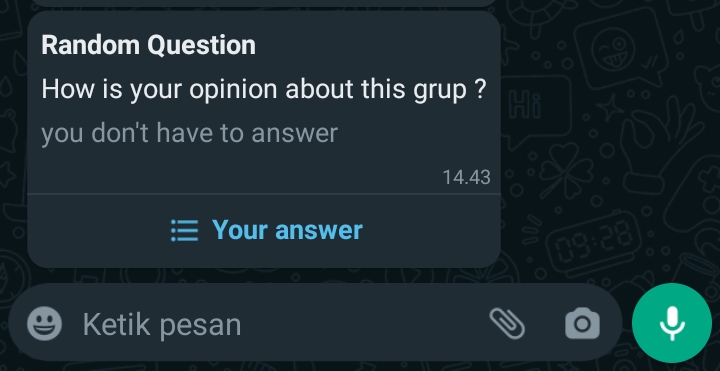
Button List :
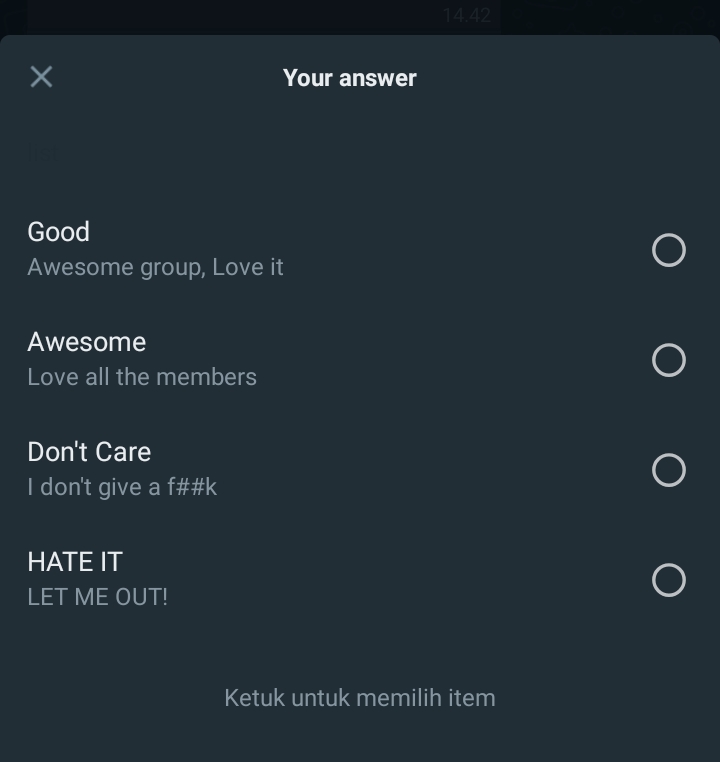
<?php
$curl = curl_init();
$token = "";
$secret_key = "";
$payload = [
    "data" => [
        [
            'phone' => '6281218xxxxxx',
            'message'=> [
                'title' => 'title',
                'description' => 'Test',
                'buttonText' => 'menu',
                'lists' => [
                    [
                        'title' => '1',
                        'description' => 'promo 1',
                    ],
                    [
                        'title' => '2',
                        'description' => 'promo 2',
                    ],
                ],
                'footer' => 'footer template here',
            ],
        ]
    ]
];
curl_setopt($curl, CURLOPT_HTTPHEADER,
    array(
        "Authorization: $token.$secret_key",
        "Content-Type: application/json"
    )
);
curl_setopt($curl, CURLOPT_CUSTOMREQUEST, "POST");
curl_setopt($curl, CURLOPT_RETURNTRANSFER, true);
curl_setopt($curl, CURLOPT_POSTFIELDS, json_encode($payload) );
curl_setopt($curl, CURLOPT_URL,  "https://bdg.wablas.com/api/v2/send-list");

$result = curl_exec($curl);
curl_close($curl);
echo "<pre>";
print_r($result);

?>| Authorization | Required | {$token}.{$secret_key} |
|---|---|---|
| token | Required | token can be found in the menu: Device - Settings |
| secret_key | Required | serial_key can be obtained by generating it in device settings - the secret_key will be sent to the admin's WhatsApp number. |
| phone | Required | Target phone number. You can use the country code prefix or not. |
| message | Required | Text message to be sent. Format: UTF-8 or UTF-16 string. maximum character is 1024. |
| title | Required | Title of the message to be sent. |
| description | Required | content message |
| button Text | Required | Button Text for displayed list |
| list | Required | title: title list description: content message in list |
| footer | Required | A section located under the main text, or body. |
| isGroup | Optional | Value is true if param phone is group ID. |
| ref_id | optional | Value of transaction ID from client / sender. |
| secret | optional | If the value is true, after successfully sending the message, it will be deleted from the database. |
| retry | optional | Message will be tried to be re-sent if previously failed to send. |
| priority | optional | If the value is true, The message is sent first from another message queue. |
| random | optional | If value TRUE & you have multiple active devices, it will sent message using randomly selected device you have. |
| source | optional | Message delivery grouping by source, like: blog, wordpress, fb, ig and others. |
Response:
{
    "status": true,
    "message": "Message is pending and waiting to be processed",
    "data": {
        "device_id": "A5DOYJ",
        "quota": "unlimited",
        "messages": [
            {
                "id": "a8b52b03-9da6-4b23-8b2d-ae2e3ccba0a0",
                "phone": "6283817519531",
                "message": "Test",
                "status": "pending"
            }
        ]
    }
}
POST https://bdg.wablas.com/api/v2/schedule
<?php
$curl = curl_init();
$token = "";
$secret_key = "";
$payload = [
    "data" => [
        [
            'category' => 'text',
            'phone' => '6281218xxxxxx',
            'scheduled_at' => '2022-05-20 13:20:00',
            'text' => 'Hallo kakak',
        ],
        [
            'category' => 'image',
            'phone' => '6281218xxxxxx',
            'scheduled_at' => '2022-05-20 13:20:00',
            'text' => 'Cover Novel',
            'url' => ' https://bdg.wablas.com/image/20220315081917.jpeg',
        ],
        [
            'category' => 'template',
            'phone' => '6281218xxxxxx',
            'scheduled_at' => '2022-05-20 13:20:00',
            'text' => [
                'title' => [
                    'type' => 'image',
                    'content' => 'https://cdn-asset.jawapos.com/wp-content/uploads/2019/01/keluarga-pawang-di-jepang-maafkan-macan-putih-yang-membunuhnya_m_.jpg',
                ],
                'buttons' => [
                    'url' => [
                        'display' => 'wablas.com',
                        'link' => 'https://wablas.com',
                    ],
                    'call' => [
                        'display' => 'contact us',
                        'link' => '081223644660',
                    ],
                    'quickReply' => ["reply 1","reply 2"],
                ],
                'content' => 'sending template message...',
                'footer' => 'footer template here',
            ],
        ],
        [
            'category' => 'button',
            'phone' => '6281218xxxxxx',
            'scheduled_at' => '2022-05-20 13:20:00',
            'text' => [
                'buttons' => ["button 1","button 2","button 3"],
                'content' => 'sending template message...',
                'footer' => 'footer template here',
            ],
        ],
    ]
];
curl_setopt($curl, CURLOPT_HTTPHEADER,
    array(
        "Authorization: $token.$secret_key",
        "Content-Type: application/json"
    )
);
curl_setopt($curl, CURLOPT_CUSTOMREQUEST, "POST");
curl_setopt($curl, CURLOPT_RETURNTRANSFER, true);
curl_setopt($curl, CURLOPT_POSTFIELDS, json_encode($payload) );
curl_setopt($curl, CURLOPT_URL,  "https://bdg.wablas.com/api/v2/schedule");

$result = curl_exec($curl);
curl_close($curl);
echo "<pre>";
print_r($result);

?>| Authorization | Required | {$token}.{$secret_key} |
|---|---|---|
| token | Required | token can be found in the menu: Device - Settings |
| secret_key | Required | serial_key can be obtained by generating it in device settings - the secret_key will be sent to the admin's WhatsApp number. |
| phone | Required | Target phone number. You can use the country code prefix or not. |
| category | Required | Category of message, such as text, image, video, document, audio, tamplate, and location. |
| scheduled_at | Required | Date and Time message wants to be sent. Format: YYYY-mm-dd H:i:s, Example: 2123-05-11 09:10:05 |
| random | optional | If value TRUE & you have multiple active devices, it will sent message using randomly selected device you have. |
Response:
{
    "status": true,
    "message": "Message is pending and waiting to be processed",
    "data": {
        "messages": [
            {
                "id": "53ac1975-41ec-44ed-acf9-3b0ccdcab748",
                "phone": "62813939121",
                "messages": "Hallo kakak",
                "file": null,
                "timezone": "Asia/Jakarta",
                "schedule_at": "2022-05-20 13:20:00"
            },
        ]
    }
}
DELETE https://bdg.wablas.com/api/v2/delete-schedule?id=xxx,xxx,xxx
<?php
$curl = curl_init();
$token = "";
$secret_key = "";
$id = "232132132132132,12321321321321";//multiple ID separated by ,
curl_setopt($curl, CURLOPT_HTTPHEADER,
    array(
        "Authorization: $token.$secret_key",
    )
);
curl_setopt($curl, CURLOPT_CUSTOMREQUEST, "DELETE");
curl_setopt($curl, CURLOPT_RETURNTRANSFER, true);
curl_setopt($curl, CURLOPT_URL,  "https://bdg.wablas.com/api/delete-schedule?id=$id");

$result = curl_exec($curl);
curl_close($curl);
echo "<pre>";
print_r($result);

?>| Authorization | Required | {$token}.{$secret_key} |
|---|---|---|
| token | Required | token can be found in the menu: Device - Settings |
| secret_key | Required | serial_key can be obtained by generating it in device settings - the secret_key will be sent to the admin's WhatsApp number. |
| id | Required | Unix ID from schedule message. Look response documentation api send schedule. Example: 8abe5c56-7f43-451b-8b2d-91a9f9a74561 , multiple id separated by , |
Response:
{
    "status": true,
    "message" : "schedules deleted successfully",
}
PUT https://bdg.wablas.com/api/v2/schedule/{schedule_id}
<?php
$curl = curl_init();
$token = "";
$secret_key = "";
$payload = [
    "data" => [
        [
            'category' => 'text',
            'phone' => '6281218xxxxxx',
            'scheduled_at' => '2022-05-20 13:20:00',
            'text' => 'Hallo kakak',
        ],
        [
            'category' => 'image',
            'phone' => '6281218xxxxxx',
            'scheduled_at' => '2022-05-20 13:20:00',
            'text' => 'Cover Novel',
            'url' => ' https://bdg.wablas.com/image/20220315081917.jpeg',
        ],
        [
            'category' => 'template',
            'phone' => '6281218xxxxxx',
            'scheduled_at' => '2022-05-20 13:20:00',
            'text' => [
                'title' => [
                    'type' => 'image',
                    'content' => 'https://cdn-asset.jawapos.com/wp-content/uploads/2019/01/keluarga-pawang-di-jepang-maafkan-macan-putih-yang-membunuhnya_m_.jpg',
                ],
                'buttons' => [
                    'url' => [
                        'display' => 'wablas.com',
                        'link' => 'https://wablas.com',
                    ],
                    'call' => [
                        'display' => 'contact us',
                        'link' => '081223644660',
                    ],
                    'quickReply' => ["reply 1","reply 2"],
                ],
                'content' => 'sending template message...',
                'footer' => 'footer template here',
            ],
        ],
        [
            'category' => 'button',
            'phone' => '6281218xxxxxx',
            'scheduled_at' => '2022-05-20 13:20:00',
            'text' => [
                'buttons' => ["button 1","button 2","button 3"],
                'content' => 'sending template message...',
                'footer' => 'footer template here',
            ],
        ],
    ]
];
curl_setopt($curl, CURLOPT_HTTPHEADER,
    array(
        "Authorization: $token.$secret_key",
        "Content-Type: application/json"
    )
);
curl_setopt($curl, CURLOPT_CUSTOMREQUEST, "PUT");
curl_setopt($curl, CURLOPT_RETURNTRANSFER, true);
curl_setopt($curl, CURLOPT_POSTFIELDS, json_encode($payload) );
curl_setopt($curl, CURLOPT_URL,  "https://bdg.wablas.com/api/v2/schedule/{schedule_id}");

$result = curl_exec($curl);
curl_close($curl);
echo "<pre>";
print_r($result);

?>| Authorization | Required | {$token}.{$secret_key} |
|---|---|---|
| token | Required | token can be found in the menu: Device - Settings |
| secret_key | Required | serial_key can be obtained by generating it in device settings - the secret_key will be sent to the admin's WhatsApp number. |
| Phone | Required | Target phone number. You can use the country code prefix or not. |
| Schedule_id | Required | Unix ID from schedule message. Look response documentation api send schedule. Example: 8abe5c56-7f43-451b-8b2d-91a9f9a74561 |
| Category | Required | Category of message, such as text, image, video, document, audio, tamplate, and location. |
| Scheduled_at | Required | Date and Time message wants to be sent. Format: YYYY-mm-dd H:i:s, Example: 2123-05-11 09:10:05 |
Response:
{
    "status": true,
    "id": "540a61de-d705-4331-9edc-ebbdb0e0c1e9",
    "category": "image",
    "message": "Scheduled Messages is succesfully Updated",
    "timezone": "Asia/Jakarta",
    "schedule_at": "2022-05-20 13:20:00",
    "phone": "08130391212",
    "messages": "Cover Novel",
    "file": " https://bdg.wablas.com/image/20220315081917.jpeg"
}
POST https://bdg.wablas.com/api/v2/send-location
<?php
$curl = curl_init();
$token = "";
$secret_key = "";
$payload = [
    "data" => [
        [
            'phone' => '6281218xxxxxx',
            'message' => [
                'name' => 'place name',
                'address' => 'street',
                'latitude' => 24.121231,
                'longitude' => 55.1121221,
            ],
        ]
    ]
];
curl_setopt($curl, CURLOPT_HTTPHEADER,
    array(
        "Authorization: $token.$secret_key",
        "Content-Type: application/json"
    )
);
curl_setopt($curl, CURLOPT_CUSTOMREQUEST, "POST");
curl_setopt($curl, CURLOPT_RETURNTRANSFER, true);
curl_setopt($curl, CURLOPT_POSTFIELDS, json_encode($payload) );
curl_setopt($curl, CURLOPT_URL,  "https://bdg.wablas.com/api/v2/send-location");

$result = curl_exec($curl);
curl_close($curl);
echo "<pre>";
print_r($result);

?>| Authorization | Required | {$token}.{$secret_key} |
|---|---|---|
| token | Required | token can be found in the menu: Device - Settings |
| secret_key | Required | serial_key can be obtained by generating it in device settings - the secret_key will be sent to the admin's WhatsApp number. |
| phone | Required | Target phone number. You can use the country code prefix or not. |
| message | Required | name: Name of place. addres: Address of place. latitude: Geographic coordinate that specifies the east-west position of a point on the Earth's surface, measured in degrees from the prime meridian (0 degrees) to the International Date Line (180 degrees). longitude: A horizontal line. Point 0 is the angle of the equator, the plus (+) sign indicates the upward direction towards the north pole, while the minus (-) sign points to the south pole. |
| isGroup | Optional | Value is true if param phone is group ID. |
| ref_id | optional | Value of transaction ID from client / sender. |
| secret | optional | If the value is true, after successfully sending the message, it will be deleted from the database. |
| retry | optional | Message will be tried to be re-sent if previously failed to send. |
| priority | optional | If the value is true, The message is sent first from another message queue. |
| random | optional | If value TRUE & you have multiple active devices, it will sent message using randomly selected device you have. |
Response:
{
    "status": true,
    "message": "Message is pending and waiting to be processed",
    "data": {
        "device_id": "A5DOYJ",
        "quota": 86,
        "messages": [
            {
                "id": "f0339763-8092-460b-a03e-e58f32818571",
                "phone": "6281223644660",
                "message": "{\"name\":\"place name\",\"address\":\"street\",\"latitude\":24.121231,\"longitude\":55.1121221}",
                "status": "pending"
            }
        ]
    }
}
This API for Send to Group WABLAS not Group Whatsapps , For Group WA : Click Here
GET https://bdg.wablas.com/api/v2/group/text
<?php
$curl = curl_init();
$token = "";
$group_id = "asdw12213212";
$secret_key = "";
$message = urlencode("test get");

curl_setopt($curl, CURLOPT_URL, "https://bdg.wablas.com/api/send-message?phone=$group_id&message=$message&token=$token");
$result = curl_exec($curl);
curl_close($curl);
echo "<pre>";
print_r($result);

?>| token | Required | token can be found in the menu: Device - Settings |
|---|---|---|
| secret_key | Required | serial_key can be obtained by generating it in device settings - the secret_key will be sent to the admin's WhatsApp number. |
| group_id | Required | id group of wablas phone group |
| message | Required | Text message to be sent. Format: UTF-8 or UTF-16 string. maximum character is 1024. |
| secret | optional | If the value is true, after successfully sending the message, it will be deleted from the database. |
| priority | optional | If the value is true, The message is sent first from another message queue. |
| spintax | optional | If the value is true, you can call/mention data on your contact wablas on your message. Example |
Response For Single Sender:
{
    "status": true,
    "message": "Message to Group {group_id} is pending and waiting to be processed",
    "data": {
        "device_id": "LJH8UM",
        "quota": "unlimited",
        "messages": [
            {
                "id": "b86707c4-a3c8-4f4e-956f-059df8ab7730",
                "phone": "6281393961320",
                "message": "Testing 1",
                "status": "pending",
                "ref_id": null
            },
            {
                "id": "b86707c4-a3c8-4f4e-956f-059df8ab7730",
                "phone": "6281393961321",
                "message": "Testing 1",
                "status": "pending",
                "ref_id": null
            },
            ...
        ]
    }
}
This API for Send to Group WABLAS not Group Whatsapps , For Group WA : Click Here
POST https://bdg.wablas.com/api/v2/group/text
<?php
$curl = curl_init();
$token = "";
$secret_key = "";
$payload = [
    "data" => [
        [
            'group_id' => 'sdf18xxxxxx',
            'message' => 'hello there',
        ]
    ]
];
curl_setopt($curl, CURLOPT_HTTPHEADER,
    array(
        "Authorization: $token.$secret_key",
        "Content-Type: application/json"
    )
);
curl_setopt($curl, CURLOPT_CUSTOMREQUEST, "POST");
curl_setopt($curl, CURLOPT_RETURNTRANSFER, true);
curl_setopt($curl, CURLOPT_POSTFIELDS, json_encode($payload) );
curl_setopt($curl, CURLOPT_URL,  "https://bdg.wablas.com/api/v2/group/text");

$result = curl_exec($curl);
curl_close($curl);
echo "<pre>";
print_r($result);

?>| Authorization | Required | {$token}.{$secret_key} |
|---|---|---|
| token | Required | token can be found in the menu: Device - Settings |
| secret_key | Required | serial_key can be obtained by generating it in device settings - the secret_key will be sent to the admin's WhatsApp number. |
| group_id | Required | id group of wablas phone group |
| message | Required | Text message to be sent. Format: UTF-8 or UTF-16 string. maximum character is 1024. |
| secret | optional | If the value is true, after successfully sending the message, it will be deleted from the database. |
| retry | optional | Message will be tried to be re-sent if previously failed to send. |
| priority | optional | If the value is true, The message is sent first from another message queue. |
| spintax | optional | If the value is true, you can call/mention data on your contact wablas on your message. Example |
Response:
{
    "status": true,
    "message": "Message to Group {group_id} is pending and waiting to be processed",
    "data": {
        "device_id": "A5DOYJ",
        "quota": 88,
        "messages": [
            {
                "id": "5be46e84-650c-4ba1-a1a6-5647d358c43a",
                "phone": "6281218xxxxxx",
                "message": "hello there",
                "status": "pending"
            },
            {
                "id": "bh765a2e-f0a9-43ac-8f3e-816ec7506781",
                "phone": "628122123xxxx",
                "message": "hello there",
                "status": "pending"
            }
        ]
    }
}
This API for Send to Group WABLAS not Group Whatsapps , For Group WA : Click Here
POST https://bdg.wablas.com/api/v2/group/image
<?php
$curl = curl_init();
$token = "";
$secret_key = "";
$payload = [
    "data" => [
        [
            'group_id' => 'asdsax11121',
            'image' => 'https://cdn-asset.jawapos.com/wp-content/uploads/2019/01/keluarga-pawang-di-jepang-maafkan-macan-putih-yang-membunuhnya_m_.jpg',
            'caption' => 'caption here',
        ]
    ]
];
curl_setopt($curl, CURLOPT_HTTPHEADER,
    array(
        "Authorization: $token.$secret_key",
        "Content-Type: application/json"
    )
);
curl_setopt($curl, CURLOPT_CUSTOMREQUEST, "POST");
curl_setopt($curl, CURLOPT_RETURNTRANSFER, true);
curl_setopt($curl, CURLOPT_POSTFIELDS, json_encode($payload) );
curl_setopt($curl, CURLOPT_URL,  "https://bdg.wablas.com/api/v2/group/image");

$result = curl_exec($curl);
curl_close($curl);
echo "<pre>";
print_r($result);

?>| Authorization | Required | {$token}.{$secret_key} |
|---|---|---|
| token | Required | token can be found in the menu: Device - Settings |
| secret_key | Required | serial_key can be obtained by generating it in device settings - the secret_key will be sent to the admin's WhatsApp number. |
| group_id | Required | ID group of Wablas phone group |
| image | Required | URL of image file to be sent. Make sure the image has been uploaded on the server and can be accessed by the public. Extention Support : jpg, jpeg, png. Max Size : 2MB. |
| caption | Optional | Text message to be sent. Format: UTF-8 or UTF-16 string. maximum character is 1024. |
| secret | optional | If the value is true, after successfully sending the message, it will be deleted from the database. |
| retry | optional | Message will be tried to be re-sent if previously failed to send. |
| priority | optional | If the value is true, The message is sent first from another message queue. |
Response For Single Sender:
{
    "status": true,
    "message": "Message to Group {group_id} is pending and waiting to be processed",
    "data": {
        "device_id": "A5DOYJ",
        "quota": 86,
        "messages": [
            {
                "id": "8ad7ecc7-d019-4305-9bc9-550605e5b816",
                "phone": "6281218xxxxxx",
                "message": null,
                "caption": "caption here",
                "image": "keluarga-pawang-di-jepang-maafkan-macan-putih-yang-membunuhnya_m_.jpg",
                "status": "pending"
            },
            {
                "id": "8ad7ecc7-d019-4305-9bc9-550605e5b816",
                "phone": "6281218xxxxxx",
                "message": null,
                "caption": "caption here",
                "image": "keluarga-pawang-di-jepang-maafkan-macan-putih-yang-membunuhnya_m_.jpg",
                "status": "pending"
            }
        ]
    }
}
This API for Send to Group WABLAS not Group Whatsapps , For Group WA : Click Here
POST https://bdg.wablas.com/api/v2/group/video
<?php
$curl = curl_init();
$token = "";
$secret_key = "";
$payload = [
    "data" => [
        [
            'group_id' => '6281218xxxxxx',
            'video' => 'https://filesamples.com/samples/video/mp4/sample_960x540.mp4',
            'caption' => 'simple',
        ]
    ]
];
curl_setopt($curl, CURLOPT_HTTPHEADER,
    array(
        "Authorization: $token.$secret_key",
        "Content-Type: application/json"
    )
);
curl_setopt($curl, CURLOPT_CUSTOMREQUEST, "POST");
curl_setopt($curl, CURLOPT_RETURNTRANSFER, true);
curl_setopt($curl, CURLOPT_POSTFIELDS, json_encode($payload) );
curl_setopt($curl, CURLOPT_URL,  "https://bdg.wablas.com/api/v2/group/video");

$result = curl_exec($curl);
curl_close($curl);
echo "<pre>";
print_r($result);

?>| Authorization | Required | {$token}.{$secret_key} |
|---|---|---|
| token | Required | token can be found in the menu: Device - Settings |
| secret_key | Required | serial_key can be obtained by generating it in device settings - the secret_key will be sent to the admin's WhatsApp number. |
| group_id | Required | id group of wablas phone group |
| video | Required | Video URL file to be sent. Make sure the video has been uploaded on the server and is publicly accessible. Extention Support: mp4,mpeg. |
| caption | Required | Text message to be sent. Format: UTF-8 or UTF-16 string. maximum character is 1024. |
| secret | optional | If the value is true, after successfully sending the message, it will be deleted from the database. |
| retry | optional | Message will be tried to be re-sent if previously failed to send. |
| priority | optional | If the value is true, The message is sent first from another message queue. |
Response For Single Sender:
{
    "status": true,
    "message": "Message to Group {group_id} is pending and waiting to be processed",
    "data": {
        "device_id": "A5DOYJ",
        "quota": 86,
        "messages": [
            {
                "id": "75469772-4dde-4012-83d4-2a5fdcdab882",
                "phone":"08122299990",
                "message":"nul"
                "caption": "new video",
                "video": "sample_960x540.mp4",
                "status": "pending"
            },
            {
                "id": "75469772-4dde-4012-83d4-2a5fdcdab882",
                "phone":"08122299990",
                "message":"nul"
                "caption": "new video",
                "video": "sample_960x540.mp4",
                "status": "pending"
            }
        ]
    }
}
This API for Send to Group WABLAS not Group Whatsapps , For Group WA : Click Here
POST https://bdg.wablas.com/api/v2/group/audio
<?php
$curl = curl_init();
$token = "";
$secret_key = "";
$payload = [
    "data" => [
        [
            'group_id' => 'asdw12213212',
            'audio' => 'https://download.samplelib.com/mp3/sample-6s.mp3',
        ]
    ]
];
curl_setopt($curl, CURLOPT_HTTPHEADER,
    array(
        "Authorization: $token.$secret_key",
        "Content-Type: application/json"
    )
);
curl_setopt($curl, CURLOPT_CUSTOMREQUEST, "POST");
curl_setopt($curl, CURLOPT_RETURNTRANSFER, true);
curl_setopt($curl, CURLOPT_POSTFIELDS, json_encode($payload) );
curl_setopt($curl, CURLOPT_URL,  "https://bdg.wablas.com/api/v2/group/audio");

$result = curl_exec($curl);
curl_close($curl);
echo "<pre>";
print_r($result);

?>| Authorization | Required | {$token}.{$secret_key} |
|---|---|---|
| token | Required | token can be found in the menu: Device - Settings |
| secret_key | Required | serial_key can be obtained by generating it in device settings - the secret_key will be sent to the admin's WhatsApp number. |
| group_id | Required | ID group of Wablas phone group |
| audio | Required | URL of audio file to be sent. Make sure the audio has been uploaded on the server and can be accessed by the public. Extention Support : mp3,ogg,mpga. Max Size: 2MB. |
| secret | optional | If the value is true, after successfully sending the message, it will be deleted from the database. |
| priority | optional | If the value is true, The message is sent first from another message queue. |
Response For Single Sender:
{
    "status": true,
    "message": "Message to Group {group_id} is pending and waiting to be processed",
    "data": {
        "device_id": "A5DOYJ",
        "quota": 86,
        "messages": [
            {
                "id": "173c84ce-7f73-4bb2-ac3d-c7713de02292",
                "phone": "6281218xxxxxx",
                "message": null,
                "caption": "audio",
                "audio":"sample_audio.mp3",
                "status": "pending"
            },
            {
                "id": "173c84ce-7f73-4bb2-ac3d-c7713de02292",
                "phone": "6281218xxxxxx",
                "message": null,
                "caption": "audio",
                "audio":"sample_audio.mp3",
                "status": "pending"
            }
        ]
    }
}
This API for Send to Group WABLAS not Group Whatsapps , For Group WA : Click Here
POST https://bdg.wablas.com/api/v2/group/document
<?php
$curl = curl_init();
$token = "";
$secret_key = "";
$payload = [
    "data" => [
        [
            'group_id' => 'i87y9213xxxxx',
            'document' => 'https://pdfobject.com/pdf/sample.pdf',
        ]
    ]
];
curl_setopt($curl, CURLOPT_HTTPHEADER,
    array(
        "Authorization: $token.$secret_key",
        "Content-Type: application/json"
    )
);
curl_setopt($curl, CURLOPT_CUSTOMREQUEST, "POST");
curl_setopt($curl, CURLOPT_RETURNTRANSFER, true);
curl_setopt($curl, CURLOPT_POSTFIELDS, json_encode($payload) );
curl_setopt($curl, CURLOPT_URL,  "https://bdg.wablas.com/api/v2/group/document");

$result = curl_exec($curl);
curl_close($curl);
echo "<pre>";
print_r($result);

?>| Authorization | Required | {$token}.{$secret_key} |
|---|---|---|
| token | Required | token can be found in the menu: Device - Settings |
| secret_key | Required | serial_key can be obtained by generating it in device settings - the secret_key will be sent to the admin's WhatsApp number. |
| group_id | Required | ID group of Wablas phone group |
| caption | Optional | name of document |
| document | Required | The document file URL to be sent. Make sure documents have been uploaded on the server and can be accessed by the public. Extention Support: doc, docx, pdf, odt, csv, ppt, pptx, xls, xlsx, txt. |
| secret | optional | If the value is true, after successfully sending the message, it will be deleted from the database. |
| retry | optional | Message will be tried to be re-sent if previously failed to send. |
| priority | optional | If the value is true, The message is sent first from another message queue. |
Response For Single Sender:
{
    "status": true,
    "message": "Message to Group {group_id} is pending and waiting to be processed",
    "data": {
        "device_id": "A5DOYJ",
        "quota": 86,
        "messages": [
            {
                "id": "7a72d32f-d9e6-427a-a31f-ed85c2d60748",
                "phone": "6281218xxxxxx",
                "message": null,
                "caption": "document",
                "document":"samplePDF.pdf",
                "status": "pending"
            },
            {
                "id": "7a72d32f-d9e6-427a-a31f-ed85c2d60748",
                "phone": "6281218xxxxxx",
                "message": null,
                "caption": "document",
                "document":"samplePDF.pdf",
                "status": "pending"
            }
        ]
    }
}
Response For Random Multiple Sender (random = true):
{
    "status": true,
    "message": "Message is pending and waiting to be processed",
    "data": [
        {
            "device_id": "A5DOYJ",
            "quota": 97,
            "messages": {
                "id": "7a72d32f-d9e6-427a-a31f-ed85c2d60748",
                "phone": "6281218xxxxxx",
                "message": null,
                "caption": "document",
                "document":"samplePDF.pdf",
                "status": "pending"
            }
        },
        {
            "device_id": "BK4L7G",
            "quota": 33,
            "message": {
                "id": "122d32f-d9e6-427a-a31f-ed85c2d60748",
                "phone": "6281218xxxxxx",
                "message": null,
                "caption": "document",
                "document":"samplePDF.pdf",
                "status": "pending"
            }
        }
    ]
}
POST https://bdg.wablas.com/api/v2/autoreply
<?php
$curl = curl_init();
$token = "";
$secret_key = "";
$payload = [
    'keyword' => 'hello',
    'response' => 'hello too.'
];
curl_setopt($curl, CURLOPT_HTTPHEADER,
    array(
        "Authorization: $token.$secret_key",
        "Content-Type: application/json"
    )
);
curl_setopt($curl, CURLOPT_CUSTOMREQUEST, "POST");
curl_setopt($curl, CURLOPT_RETURNTRANSFER, true);
curl_setopt($curl, CURLOPT_POSTFIELDS, json_encode($payload) );
curl_setopt($curl, CURLOPT_URL,  "https://bdg.wablas.com/api/v2/autoreply");

$result = curl_exec($curl);
curl_close($curl);
echo "<pre>";
print_r($result);

?>| Authorization | Required | {$token}.{$secret_key} |
|---|---|---|
| token | Required | token can be found in the menu: Device - Settings |
| secret_key | Required | serial_key can be obtained by generating it in device settings - the secret_key will be sent to the admin's WhatsApp number. |
| keyword | Required | Keyword used for auto-reply |
| response | Required | Auto-reply response when the keyword is used |
Example Response:
{
    "status": true,
    "message": "Auto reply created successfully",
    "data": {
        "id": "38f6c51d-a243-44b5-9d49-2f4e7ea67ae7",
        "device": "32ZU3E",
        "keyword": "hello",
        "response": "hello too."
    }
}
PUT https://bdg.wablas.com/api/v2/autoreply/{id}
<?php
$curl = curl_init();
$id = "";
$token = "";
$secret_key = "";
$payload = [
    'keyword' => 'keyword 1',
    'response' => 'new response to keyword 1',
];
curl_setopt($curl, CURLOPT_HTTPHEADER,
    array(
        "Authorization: $token.$secret_key",
        "Content-Type: application/json"
    )
);
curl_setopt($curl, CURLOPT_CUSTOMREQUEST, "PUT");
curl_setopt($curl, CURLOPT_RETURNTRANSFER, true);
curl_setopt($curl, CURLOPT_POSTFIELDS, json_encode($payload) );
curl_setopt($curl, CURLOPT_URL,  "https://bdg.wablas.com/api/v2/autoreply/$id");

$result = curl_exec($curl);
curl_close($curl);
echo "<pre>";
print_r($result);

?>| Authorization | Required | {$token}.{$secret_key} |
|---|---|---|
| token | Required | token can be found in the menu: Device - Settings |
| secret_key | Required | serial_key can be obtained by generating it in device settings - the secret_key will be sent to the admin's WhatsApp number. |
| id | Required | ID Auto reply |
| keyword | Required | Keyword used for auto-reply |
| response | Required | Auto-reply response when the keyword is used |
Response :
{
    "status": true,
    "message": "update autoreply keyword: keyword 1 successfully",
    "data": {
        "id": "4d3fb0c2-7e7e-4375-8715-2daebe45xxxx",
        "device": "SAG2S",
        "keyword": "keyword 1",
        "response": "new response to keyword 1"
    }
}
DELETE https://bdg.wablas.com/api/v2/autoreply/{id}
<?php
$curl = curl_init();
$token = "";
$secret_key = "";
$id = "";
curl_setopt($curl, CURLOPT_HTTPHEADER,
    array(
        "Authorization: $token.$secret_key",
        "Content-Type: application/json"
    )
);
curl_setopt($curl, CURLOPT_CUSTOMREQUEST, "DELETE");
curl_setopt($curl, CURLOPT_RETURNTRANSFER, true);
curl_setopt($curl, CURLOPT_URL,  "https://bdg.wablas.com/api/v2/autoreply/$id");

$result = curl_exec($curl);
curl_close($curl);
echo "<pre>";
print_r($result);

?>| Authorization | Required | {$token}.{$secret_key} |
|---|---|---|
| token | Required | token can be found in the menu: Device - Settings |
| secret_key | Required | serial_key can be obtained by generating it in device settings - the secret_key will be sent to the admin's WhatsApp number. |
| id | Required | ID auto reply |
Response:
{
    "status": true,
    "message": "remove autoreply keyword: makan roti successfully"
}
GET https://bdg.wablas.com/api/v2/autoreply/getData?keyword=sample
<?php
$curl = curl_init();
$token = "";
$secret_key = "";
curl_setopt($curl, CURLOPT_HTTPHEADER,
    array(
        "Authorization: $token.$secret_key",
        "Content-Type: application/json"
    )
);
curl_setopt($curl, CURLOPT_CUSTOMREQUEST, "PUT");
curl_setopt($curl, CURLOPT_RETURNTRANSFER, true);
curl_setopt($curl, CURLOPT_URL,  "https://bdg.wablas.com/api/v2/autoreply/getData?keyword=sample");

$result = curl_exec($curl);
curl_close($curl);
echo "<pre>";
print_r($result);

?>| Authorization | Required | {$token}.{$secret_key} |
|---|---|---|
| token | Required | token can be found in the menu: Device - Settings |
| secret_key | Required | serial_key can be obtained by generating it in device settings - the secret_key will be sent to the admin's WhatsApp number. |
| keyword | Optional | Keyword used for auto-reply |
Response :
{
    "status": true,
    "message": "sucessfully get autoreplies data",
    "data": [
        {
            "id": "11438c40-4b41-4948-9bfa-71ae23f2973c",
            "device": "32ZU3E",
            "keyword": "keyword 1",
            "category": "text",
            "response": "example reponse 1",
            "file": null
        }
    ]
}
{
    "status": true,
    "message": "sucessfully get autoreplies data",
    "data": [
        {
            "id": "11438c40-4b41-4948-9bfa-71ae23fXXXc",
            "device": "32ZXXE",
            "keyword": "keyword 1",
            "category": "text",
            "response": "example reponse 1",
            "file": null
        },
        {
            "id": "1e2ab681-597b-4535-bb00-f3365245XXX",
            "device": "32ZXXE",
            "keyword": "mata hari 6",
            "category": "text",
            "response": "",
            "file": null
        },
        ......,

        {
            "id": "f9aa215b-766c-42a5-aa42-b2cc17dXXXX",
            "device": "32ZXXE",
            "keyword": "mata hari",
            "category": "text",
            "response": "hari gini masih makan",
            "file": null
        }
    ]
}
POST https://bdg.wablas.com/api/v2/contact
<?php
$curl = curl_init();
$token = "";
$secret_key = "";
$payload = [
    "data" => [
        [
            'name' => 'Danu',
            'phone' => '6285867765222'
        ],
        [
            'name' => 'Karina Setya',
            'phone' => '6285867765777',
            'email' => 'karina.setya@gmail.com',
            'birth_day' => '1992-03-12',
            'address' => 'Kedokan RT 02/ RW 04 Klego Boyolali',
        ],
        [
            'name' => 'Danu',
            'phone' => '6285867765222'
        ]
    ]
];
curl_setopt($curl, CURLOPT_HTTPHEADER,
    array(
        "Authorization: $token.$secret_key",
        "Content-Type: application/json"
    )
);
curl_setopt($curl, CURLOPT_CUSTOMREQUEST, "POST");
curl_setopt($curl, CURLOPT_RETURNTRANSFER, true);
curl_setopt($curl, CURLOPT_POSTFIELDS, json_encode($payload) );
curl_setopt($curl, CURLOPT_URL,  "https://bdg.wablas.com/api/v2/contact");

$result = curl_exec($curl);
curl_close($curl);
echo "<pre>";
print_r($result);

?>| Authorization | Required | {$token}.{$secret_key} |
|---|---|---|
| token | Required | token can be found in the menu: Device - Settings |
| secret_key | Required | serial_key can be obtained by generating it in device settings - the secret_key will be sent to the admin's WhatsApp number. |
| phone | Required | Whatsapp Number .You can use the country code prefix or not |
| name | Required | Contact Name, Example: Gerart Sebastian |
| Optional | Email Contact | |
| address | Optional | Contact Address, Example: Beverly Hills, 455 N. Rexford Drive Beverly Hills CA 90210, United States |
| birth_day | Optional | Info birthday for contact (Format: YYYY-mm-dd), Example : 1992-09-23 |
Response:
{
    "status": true,
    "message": "Successfully Add contact",
    "data": {
        "messages": [
            {
                "phone": "6285867765222",
                "message": "successfully add 6285867765222 to contact",
                "status": true
            },
            {
                "phone": "6285867765777",
                "message": "successfully add 6285867765777 to contact",
                "status": true
            },
            {
                "phone": "6285867765222",
                "message": "6285867765222 already add on contact",
                "status": false
            }
        ]
    }
}
POST https://bdg.wablas.com/api/v2/contact/update
<?php
$curl = curl_init();
$token = "";
$payload = [
    "data" => [
        [
            'name' => 'Danu',
            'phone' => '6285867765222'
        ],
        [
            'name' => 'Karina Setya',
            'phone' => '6285867765777',
            'email' => 'karina.setya@gmail.com',
            'birth_day' => '1992-03-12',
            'address' => 'Kedokan RT 02/ RW 04 Klego Boyolali',
        ],
        [
            'name' => 'Danu',
            'phone' => '6285867765222'
        ]
    ]
];
curl_setopt($curl, CURLOPT_HTTPHEADER,
    array(
    "Authorization: $token.$secret_key",
        "Content-Type: application/json"
    )
);
curl_setopt($curl, CURLOPT_CUSTOMREQUEST, "POST");
curl_setopt($curl, CURLOPT_RETURNTRANSFER, true);
curl_setopt($curl, CURLOPT_POSTFIELDS, json_encode($payload) );
curl_setopt($curl, CURLOPT_URL,  "https://bdg.wablas.com/api/v2/contact/update");

$result = curl_exec($curl);
curl_close($curl);
echo "<pre>";
print_r($result);

?>| Authorization | Required | {$token}.{$secret_key} |
|---|---|---|
| token | Required | token can be found in the menu: Device - Settings |
| secret_key | Required | serial_key can be obtained by generating it in device settings - the secret_key will be sent to the admin's WhatsApp number. |
| phone | Required | Whatsapp Number .You can use the country code prefix or not |
| name | Required | Contact Name, Example: Gerart Sebastian |
| Optional | Email Contact | |
| address | Optional | Contact Address, Example: Beverly Hills, 455 N. Rexford Drive Beverly Hills CA 90210, United States |
| birth_day | Optional | Info birthday for contact (Format: YYYY-mm-dd), Example : 1992-09-23 |
Response:
{
    "status": true,
    "message": "Successfully Add contact",
    "data": {
        "messages": [
            {
                "phone": "6285867765222",
                "message": "successfully add 6285867765222 to contact",
                "status": true
            },
            {
                "phone": "6285867765777",
                "message": "contact 6285867765777 not found",
                "status": false
            }
        ]
    }
}
DELETE https://bdg.wablas.com/api/v2/contact
<?php
$curl = curl_init();
$token = "";
$secret_key = "";
$phone = "";
curl_setopt($curl, CURLOPT_HTTPHEADER,
    array(
        "Authorization: $token.$secret_key",
        "Content-Type: application/json"
    )
);
curl_setopt($curl, CURLOPT_CUSTOMREQUEST, "DELETE");
curl_setopt($curl, CURLOPT_RETURNTRANSFER, true);
curl_setopt($curl, CURLOPT_URL,  "https://bdg.wablas.com/api/v2/contact?phone=$phone");

$result = curl_exec($curl);
curl_close($curl);
echo "<pre>";
print_r($result);

?>| Authorization | Required | {$token}.{$secret_key} |
|---|---|---|
| token | Required | token can be found in the menu: Device - Settings |
| secret_key | Required | serial_key can be obtained by generating it in device settings - the secret_key will be sent to the admin's WhatsApp number. |
| phone | Required | contact phone number to be deleted. multiple phone separated by , (comma) |
Response:
{
    "status": true,
    "message": "Successfully deleted contacts: 6281393961320, 628123123123, 628123123123, 6281231231211"
}
GET https://bdg.wablas.com/api/v2/contact
<?php
$curl = curl_init();
$token = "";
$secret_key = "";
curl_setopt($curl, CURLOPT_HTTPHEADER,
    array(
        "Authorization: $token.$secret_key",
        "Content-Type: application/json"
    )
);
curl_setopt($curl, CURLOPT_CUSTOMREQUEST, "GET");
curl_setopt($curl, CURLOPT_RETURNTRANSFER, true);
curl_setopt($curl, CURLOPT_URL,  "https://bdg.wablas.com/api/v2/contact");

$result = curl_exec($curl);
curl_close($curl);
echo "<pre>";
print_r($result);

?>| Authorization | Required | {$token}.{$secret_key} |
|---|---|---|
| token | Required | token can be found in the menu: Device - Settings |
| secret_key | Required | serial_key can be obtained by generating it in device settings - the secret_key will be sent to the admin's WhatsApp number. |
| phone | Optional | Specifies the contact phone details. Example: https://bdg.wablas.com/api/v2/contact?phone=0813xxxxx |
| page | Optional | Specifies the page number to navigate to. |
| limit | Optional | Specifies the limit of phone data to display per page. |
Response:
{
    "status": true,
    "totalData": 18,
    "perPage": 1,
    "page": 2,
    "totalPage": 9,
    "message": [
        {
        "id": "06b86788-27d0-4243-a45c-fcce095e3846",
        "phone": "6285282062748",
        "email": "maliki@email.com",
        "name": "Maulana Malik ",
        "nickname": "Maliki",
        "status": "active",
        "address": null,
        "gender": "male",
        "birth_day": "12-12-1989",
        "photo": null,
        "date": {
            "created_at": "2024-02-29 15:34:05",
            "updated_at": "2024-02-29 15:34:05"
            }
        }
    ]
}
POST https://bdg.wablas.com/api/v2/create-agent
<?php
$curl = curl_init();
$token = "";
$secret_key = "";
$payload = [
    "data" => [
        [
        'name' => 'danu',
        'phone' => '6281218xxxxxx',
        'email' => 'danu@gmail.com',
        'password' => 'xxxxxxxx',
        ]
    ]
];
curl_setopt($curl, CURLOPT_HTTPHEADER,
    array(
        "Authorization: $token.$secret_key",
        "Content-Type: application/json"
    )
);
curl_setopt($curl, CURLOPT_CUSTOMREQUEST, "POST");
curl_setopt($curl, CURLOPT_RETURNTRANSFER, true);
curl_setopt($curl, CURLOPT_POSTFIELDS, json_encode($payload) );
curl_setopt($curl, CURLOPT_URL,  "https://bdg.wablas.com/api/v2/create-agent");

$result = curl_exec($curl);
curl_close($curl);
echo "<pre>";
print_r($result);

?>| Authorization | Required | {$token}.{$secret_key} |
|---|---|---|
| token | Required | token can be found in the menu: Device - Settings |
| secret_key | Required | serial_key can be obtained by generating it in device settings - the secret_key will be sent to the admin's WhatsApp number. |
| name | Required | Name agent |
| phone | Required | Whatsapp Number .You can use the country code prefix or not |
| Required | Email agent | |
| password | Required | Password agent |
Response:
{
    "status": true,
    "message": "Create Agent Success",
    "data": {
        "Total Agent": 8,
        "Remaining Slot": 16
    },
    "Info Agent": [
        {
            "name": "Harsoyo",
            "email": "feraasase@gmail.com",
            "phone": "628139396132301"
        }
    ]
}
DELETE https://bdg.wablas.com/api/v2/media/delete/{id}
<?php
$curl = curl_init();
$token = "";
$secret_key = "";
$id = "";
curl_setopt($curl, CURLOPT_HTTPHEADER,
    array(
        "Authorization: $token.$secret_key",
    )
);
curl_setopt($curl, CURLOPT_CUSTOMREQUEST, "DEL");
curl_setopt($curl, CURLOPT_RETURNTRANSFER, true);
curl_setopt($curl, CURLOPT_URL,  "https://bdg.wablas.com/api/v2/media/delete/$id");

$result = curl_exec($curl);
curl_close($curl);
echo "<pre>";
print_r($result);

?>| Authorization | Required | {$token}.{$secret_key} |
|---|---|---|
| token | Required | token can be found in the menu: Device - Settings |
| secret_key | Required | serial_key can be obtained by generating it in device settings - the secret_key will be sent to the admin's WhatsApp number. |
| {id} | Required | unix ID from message. look response documentation api send message |
Response:
{
    "status": true,
    "message" : "image file succesfully removed",
}
POST https://yourdomain.com/webhook
Retrieve new incoming messages from WhatsApp, so every time a new message is sent, we will forward it to this URL. The webhooks URL can be set on menu: Device - Setting
input webhook url on Webhook URL for Inbound Message. (Don't forget to activated "Get Incoming Message").
Make sure you have a domain that can be accessed publicly as namadomain.com, then place the webhook file in the folder, so that later your webhook URL is
https://yourdomain.com/webhook.php
The following is the data that will be sent to your webhook URL:
Note : To get auto reply from webhook, activated "Get Auto Reply From Webhook"
Personal Message
{
    "id": "809DE6896F2203BC296652E16DEEC90E",
    "pushName": "Marina Karina",
    "isGroup": false,
    "group": {
        "sender": "",
        "subject": "",
        "owner": "",
        "desc": "",
        "participants": null
    },
    "message": "File",
    "phone": "6281393961XXX",
    "messageType": "text",
    "file": "",
    "url": "",
    "mimeType": "",
    "deviceId": "A0HDJU",
    "sender": "6289628189XXX",
    "isFromMe": false,
    "timestamp": "2021-03-31T02:15:45Z",
    "profileImage": "https://pps.whatsapp.net/v/t61.24694-24/321179913_854695722486402_3839169477576616424_n.jpg?stp=dst-jpg_s96x96&ccb=11-4&oh=01_AdRtuYKyf7O8VF--YF1eQc9OOzQsNyZ-J2w9vuwtFls28Q&oe=643357B3"
}
Group Message
{
    "id": "3270641EBAD48823723D636B1B51F28D",
    "pushName": "Keles Sebastian",
    "isGroup": true,
    "group": {
        "sender": "6281393961XXX",
        "subject": "Group Tester",
        "owner": "6289628189XXX",
        "desc": "",
        "participants": [
            {
                "jid": "628139396XXX0@s.whatsapp.net",
                "is_admin": true
            },
            {
                "jid": "6289628189XXX@s.whatsapp.net",
                "is_admin": false
            }
        ]
    },
    "message": "admin kick aku please !",
    "phone": "120363064449269XXX",
    "messageType": "text",
    "file": "",
    "url": "",
    "mimeType": "",
    "deviceId": "A0HXXX",
    "sender": "6289628189XXX",
    "isFromMe": false,
    "timestamp": "2021-03-31T02:17:56Z",
    "profileImage": ""
}
<?php
header("Content-Type: text/plain");
/**
* all data POST sent from  https://bdg.wablas.com
* you must create URL what can receive POST data
* we will sent data like this:

* id = message ID - string
* phone = sender phone - string
* message = content of message - string
* pushName = Sender Name like contact name - string (optional)
* groupSubject = Group Name - string (optional)
* timestamp = time send message
* file = name of the file when receiving media message (optional)
* url = url file media message (optional)
* messageType = text/image/document/video/audio/location - string
* mimeType = type file (optional)
* deviceId = unix ID device
* sender = phone number device - integer
*/
$content = json_decode(file_get_contents('php://input'), true);

$id = $content['id'];
$pushName = $content['pushName'];
$isGroup = $content['isGroup'];
if ($isGroup == true) {
    $senderMessage = $content['group']['sender'];// WA member who sends message to group
    $subjectGroup = $content['group']['subject'];
    $ownerGroup = $content['group']['owner'];
    $decriptionGroup = $content['group']['desc'];
    $partisipanGroup = $content['group']['participants'];
}
$message = $content['message'];
$phone = $content['phone'];
$messageType = $content['messageType'];
$file = $content['file'];
$mimeType = $content['mimeType'];
$deviceId = $content['deviceId'];
$sender = $content['sender'];
$timestamp = $content['timestamp'];
echo $message;
?>
<?php
header("Content-Type: text/plain");
/**
* for auto reply or bot
*/
$content = json_decode(file_get_contents('php://input'), true);
if($content['message'] == 'hello') {
echo "Hello too.";
} else {
echo null;
}
?><?php
header("Content-Type: text/plain");
/**
* Save to database table inbox
*/
$content = json_decode(file_get_contents('php://input'), true);
if(isset($content['message')) {
$conn = new mysqli("localhost", "userxxx", "passwordxxx", "bot_db");
// Check connection
if ($conn->connect_error) {
die("Connection failed: " . $conn->connect_error);
}
$id = $content['id'];
$phone = $content['phone'];
$message = $content['message'];
$sql = "INSERT INTO inbox (message_id, phone, message) VALUES ($id, $phone, $message)";
if ($conn->query($sql) === TRUE) {
echo null;
} else {
echo "Error: " . $sql . "
" . $conn->error;
}
$conn->close();
}
?><?php
header('Content-Type: application/json');
/**
* for auto reply or bot with multiple message. currently only supports text and images
*/
$content = json_decode(file_get_contents('php://input'), true);
// reply with image message
$payload[] = [
'category' => 'image',
'caption' => 'caption image',
'urlFile' => 'https://cdn-asset.jawapos.com/wp-content/uploads/2019/01/keluarga-pawang-di-jepang-maafkan-macan-putih-yang-membunuhnya_m_.jpg'
];
// message with text message
$payload[] = [
'category' => 'text',
'message' => 'message: '.$content['message'],
];
// reply with document message
$payload[] = [
'category' => 'document',
'urlFile' => 'https://africau.edu/images/default/sample.pdf'
];
// reply with video message
$payload[] = [
'category' => 'video',
'caption' => 'caption video',
'urlFile' => 'http://techslides.com/demos/sample-videos/small.mp4'
];
// reply with audio message
$payload[] = [
'category' => 'audio',
'urlFile' => 'https://www.soundhelix.com/examples/mp3/SoundHelix-Song-1.mp3'
];
// reply with button message
$payload[] = [
'category' => 'button',
'message' => '{"buttons":["button 12","button 22","button 33"],"content":"sending button message.","footer":"footer here"}'
];
// reply with template message
$payload[] = [
'category' => 'template',
'message' => '{"title":{"type":"image","content":"https:\/\/cdn-asset.jawapos.com\/wp-content\/uploads\/2019\/01\/keluarga-pawang-di-jepang-maafkan-macan-putih-yang-membunuhnya_m_.jpg"},"buttons":{"url":{"display":"wablas.com","link":"https:\/\/wablas.com"},"call":{"display":"contact us","phone":"081223644660"},"quickReply":["reply 1","reply 2"]},"content":"sending template message...","footer":"footer template here"}'
];
// reply with list message
$payload[] = [
'category' => 'list',
'message' => '{"title":"title","description":"descript","buttonText":"button text","lists":[{"title":"1","description":"promo 1"},{"title":"2","description":"promo 2"}],"footer":"footer"}'
];
echo json_encode(['data' => $payload]);
?>| id | string | Message ID like random string | mandatory |
|---|---|---|---|
| phone | string | sender number, example: 62821144818 | mandatory |
| pushName | string | sender name example: Peter | optional |
| message | string | content of message | optional |
| messageType | string | type of message. example: text, image, document, video, audio, or location | optional |
| group | array |
- Sender - Subject - Owner - Participants |
optional |
| file | string | Name file | optional |
| mimeType | string | mimeType of file | optional |
| url | string | url of file | optional |
| deviceId | string | Device ID for sender | mandatory |
| sender | integer | whatsapp number for sender | mandatory |
| profileImage | URL | whatsapp profile image | optional |
POST https://your-domain.com/tracking
Retrieve new status of messages from WhatsApp, so every time a new status of message update for example:sent, read, cancel, received, reject, pending, we will forward it to this URL Device - Setting - Tracking URL
Make sure you have a domain that can be accessed publicly as namadomain.com, then place the webhook file in the folder, so that later your webhook URL is
https://yourdomain.com/tracking.php
The following is the data that will be sent to your webhook URL:
<?php
/**
* all data POST sent from  https://bdg.wablas.com
* you must create URL what can receive POST data
* we will sent data like this:
* id = message ID - string
* phone = whatsapp number of customer
* status = status of message - string
* note = information - string
* deviceId = device ID - string
*/

$content = json_decode(file_get_contents('php://input'), true);

$id = $content['id'];
$status = $content['status'];
$phone = $content['phone'];
$note = $content['note'];
$sender = $content['sender'];
$deviceId = $content['deviceId'];

?>| id | string | Message ID like random string |
|---|---|---|
| phone | string | Telephone number of the recipient of the message |
| status | string | pending, delivered, received, sent, read, cancel, rejected. |
| deviceId | string | ID your device |
POST https://your-domain.com/device
For Receive Status Device, for example when device disconnected
Make sure you have a domain that can be accessed publicly as namadomain.com, then place the webhook file in the folder, so that later your webhook URL is
https://yourdomain.com/device.php
The following is the data that will be sent to your webhook URL:
{
    "deviceId": "LJH8UM",
    "deviceName": "Riza Arif",
    "sender": "6283841502450",
    "status": "connected",
    "note": "ready to use",
    "timestamp": "2024-01-22T04:56:02.41114184Z"
}
<?php
/**
* all data POST sent from  https://bdg.wablas.com
* you must create URL what can receive POST data
* we will sent data like this:
* sender = device number
* status = status of device - string
* deviceName = device Name - string
* deviceId = device ID -
* note = response note - string
* timestamp = update status device timestamp
*/

$content = json_decode(file_get_contents('php://input'), true);

$status = $content['status'];
$deviceName = $content['deviceName'];
$sender = $content['sender'];
$deviceId = $content['deviceId'];

?>| sender | string | Device Number |
|---|---|---|
| status | string | Status device connected , disconnected |
| deviceName | string | Your device Name |
| deviceId | string | ID your device |
| note | string | note response, example : "ready to use", "whatsapp sender not connected, need scan qr code again". |
| timestamp | datetime | timestamp of update status device |
POST https://bdg.wablas.com/api/channel/channel_name
<?php
$curl = curl_init();
$token = "";
$channel = 'line'  //telegram,facebook,twitter
//text
$data = [
    'user_id' => 'Uabb3cc695269e10f43c57a709919867e',
    'message' => 'hello there',
];
//media message
$data = [
    'user_id' => 'Uabb3cc695269e10f43c57a709919867e',
    'message' => 'hello there',
    'type' => 'image' // video,audio,image
    'urlFile'=> "https://file-examples.com/storage/fef1706276640fa2f99a5a4/2017/10/file_example_JPG_100kB.jpg"
];

curl_setopt($curl, CURLOPT_HTTPHEADER,
    array(
        "Authorization: $token",
    )
);
curl_setopt($curl, CURLOPT_CUSTOMREQUEST, "POST");
curl_setopt($curl, CURLOPT_RETURNTRANSFER, true);
curl_setopt($curl, CURLOPT_POSTFIELDS, http_build_query($data));
curl_setopt($curl, CURLOPT_URL,  "https://bdg.wablas.com/api/channel/$channel");
$result = curl_exec($curl);
curl_close($curl);
print_r($result);
?>
| Authorization | Required | token can be found in the menu: Device - Settings https://bdg.wablas.com , Setting => Channel => Setting Channel |
|---|---|---|
| channel | Required | Channel that you one to use : available : telegram,line,facebook,twitter. |
| user_id | Required | You can only retrieve the user ID from the webhook. However, for Twitter, you can obtain the user ID by using the 'GetID' feature in the Twitter Channel Settings. |
| message | Required | Text message to be sent. Format: UTF-8 or UTF-16 string. maximum character is 1024. |
| type | Required | Required if tou want to send Media Message (Image, Video, Audio) |
| urlFile | Required | URL of file to be sent. Make sure file has been uploaded on the server and can be accessed by the public. Required if tou want to send Media Message (Image, Video, Audio) |